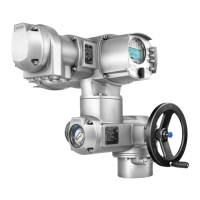
Figure 21: Marking with ID
S
ID starts with S = status menu
M
ID starts with M = main menu
Group selection
It is possible to select between status menu S and main menu M:
For this, set selector switch to 0 (OFF), hold down push button C for approx. 2
seconds until a screen containing the ID M... appears.
Figure 22: Select menu groups
You return to the status menu if:
●
the push buttons on the local controls have not been operated within 10 minutes
●
or by briefly pressing C
Direct display via ID
When entering the ID within the main menu, screens can be displayed directly (without
clicking through).
Figure 23: Direct display (example)
Display indicates in the bottom row: Go to
1.
Press push button Go to.
Display indicates: Go to menu M0000
2.
Use push buttons Up ▲ Down ▼ to select figures 0 to 9.
3.
Press push button Ok to confirm first digit.
4. Repeat steps 2 and 3 for all further digits.
5.
To cancel the process: Press C Esc.
6.4. User level, password
User level
The user level defines which menu items or parameters can be displayed or modified
by the active user.
There are 6 different user levels.The user level is indicated in the top row:
Figure 24: User level display (example)
Password
A password must be entered to allow parameter modification.The display indicates:
Password 0***
A specific password is assigned to each user level and permits different actions.
26
SQ 05.2 – SQ 14.2/SQR 05.2 – SQR 14.2 Control unit: electronic (MWG)
Operation AC 01.2 Non-Intrusive



 To Next Page
 Loading...