20
EN
BT MODE
1. Switch o all BT devices that were previously paired (connected) to this
device
2. Turn on the BT features on your phone or music player.
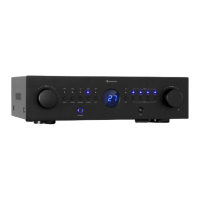
3. Turn on the amplier and start the BT mode The blue letter BT ashes
on the display to indicate that the pairing mode is active.
4. Set your phone or music player to search for BT devices.
5. Select AMP-CD608 DAB from the search results on your phone or music
player.
6. Select OK or YES to pair the amplier with your phone or music player.
7. If necessary, enter 0000 as the password.
DAB MODE
• Press the BT/DAB button to select the DAB mode
• Press the DAB SCAN button. The display shows [Scanning XXX%] and
the number of the DAB station. The rst station found will automatically
play.
• Press the PREV/NEXT button to select the next or previous station.
Note: It may take some time for the unit to tune to the new station.


 To Next Page