56
EN
• Select “Yes” to establish the network connection.
• If you have a WPS router, select Yes (WPS). Press the WPS button on your
router.
• If you select “Yes“ (yes), the device will search for available wireless
networks and list them on the screen a short time later.
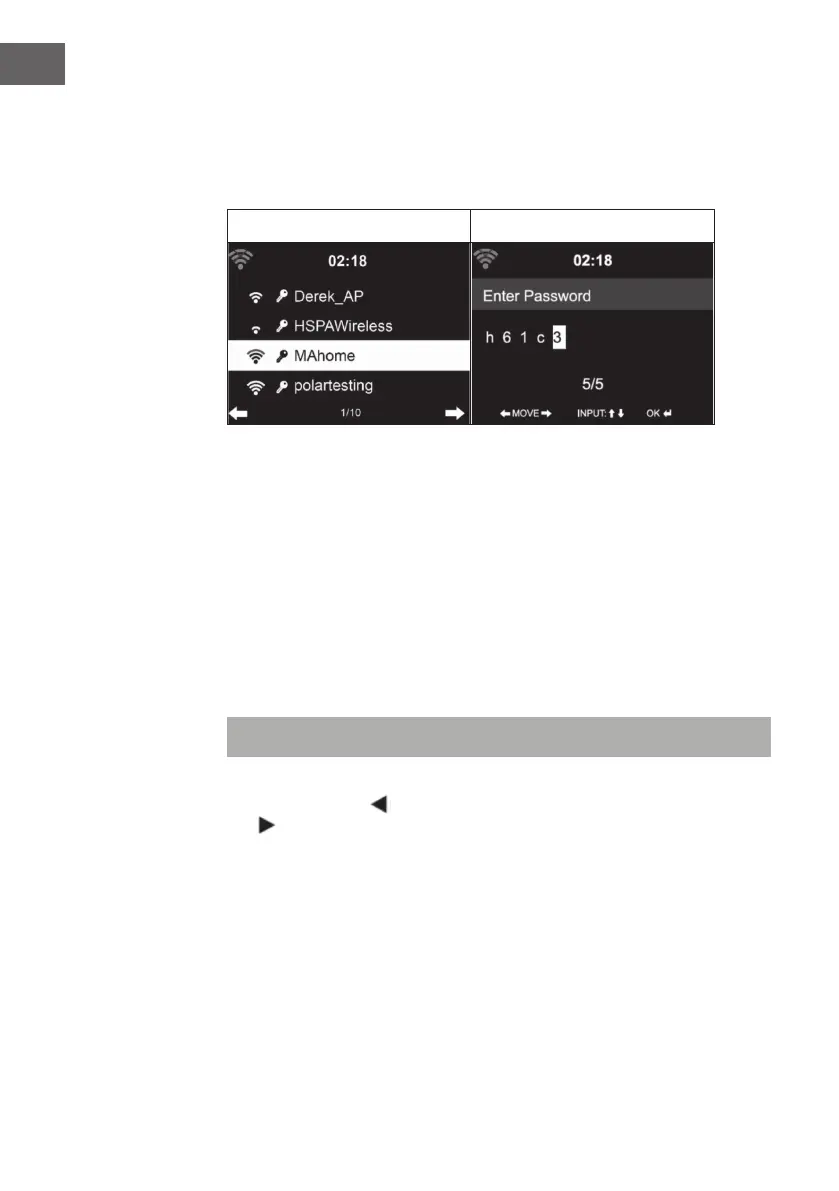
4 5
• The number of bars of the WLAN icon in front of the network name
(SSID) indicates the relative connection strength of the network.
• The key symbol means that the respective network is password
protected.
• If the device cannot nd a wireless network, “No wireless networks
found” is displayed on the screen. Change the location of the machine
or check the wireless router.
• You can view the SSID of the access point in the access point (router)
settings.
• Select the desired network and conrm with OK.
• If the selected network is password protected, you will be prompted to
enter the password.
• When entering the password, pay attention to upper and lower case.
Option 1: Enter the password using the rotary control:
You can turn the control dial to enter the password. If you made an incorrect
entry, press the key
to correct it. To move to the next entry, press the
key .



 To Next Page