6 ENGLISH
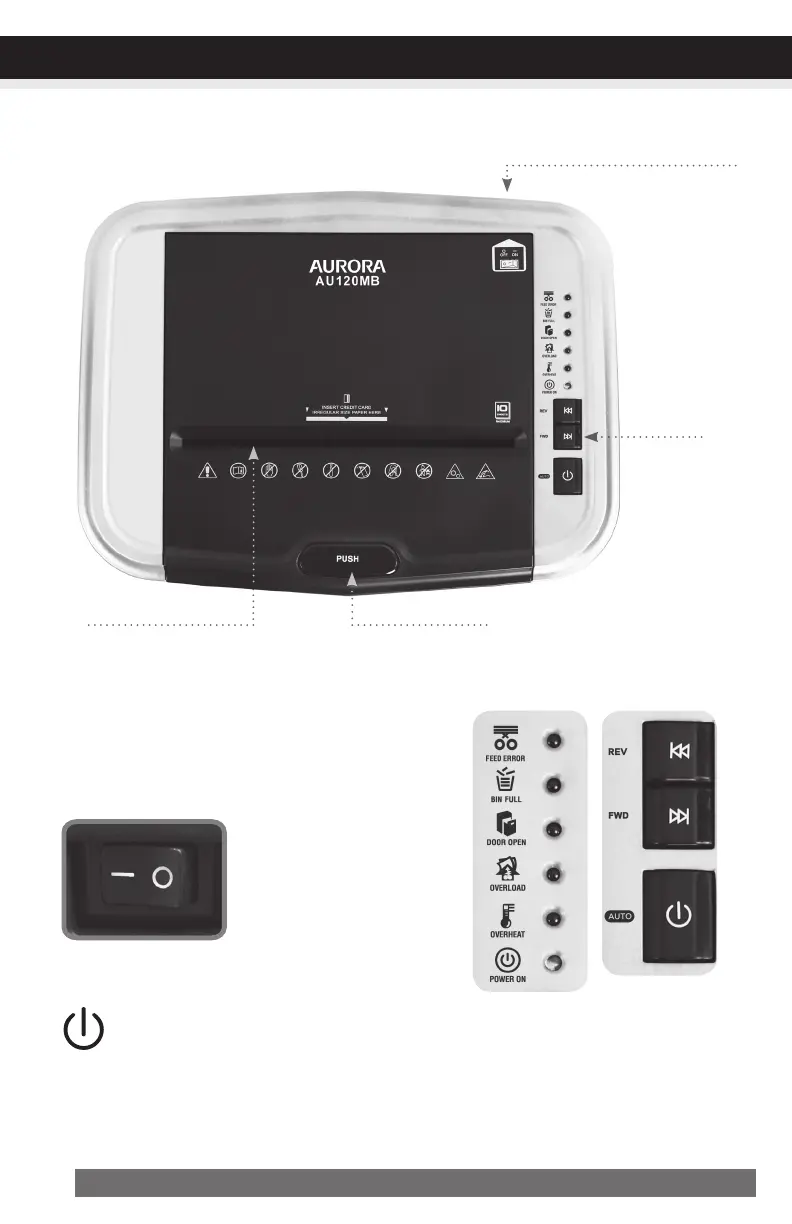
Control
Button
TopLidButtonManual-FeedSlot
MainPowerSwitch
The Main Power Switch must be “ON” to operate.
In an emergency, stop the shredder immediately and
turn switch to “OFF” mode. This completely discon-
nects all power to the machine.
ControlButton:
ONOFF
– O
CONTINUED NEXT PAGE
OPERATION
MainPowerOn/OffSwitch
(atbackofmachine)
•Auto-On(Green):
This setting automatically starts the shredder by loading paper into the paper tray or
inserting paper into the manual-feed slot. When the paper has passed through, the
shredder automatically stops.


 To Next Page