8 ENGLISH
OPERATION
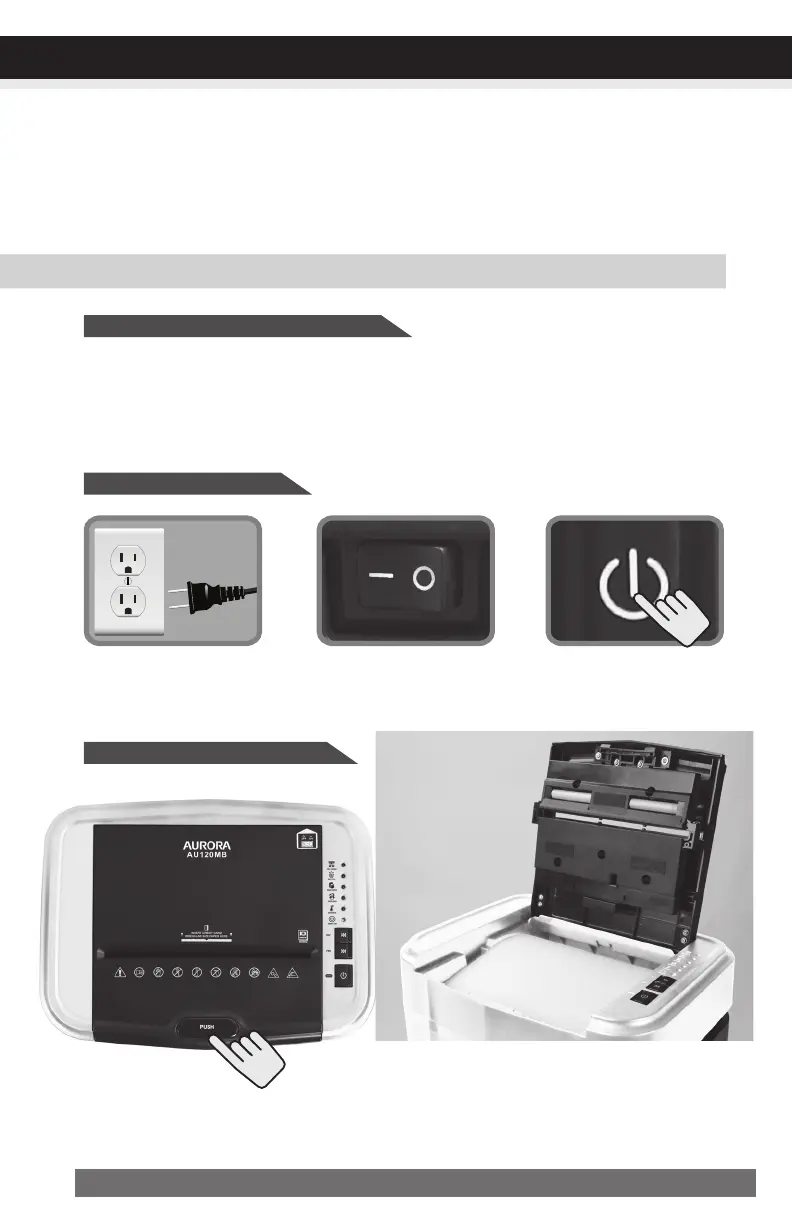
Auto-FeedShreddingOperation:
Put main power switch
in ON (–) position.
Turn power on.
Plug into ground standard US
household power outlet (120-V).
•Poweronshredder
•Openlidandloadpaper*
*Papershouldbeflatandalignedwith
papertray.
Features:
•Auto-ReverseTechnology:
When shredder detects over-capacity shredding, the motor will immediately stop and
reject paper before actual shredding begins.
Shreds:
• Maximum 120 sheets of letter size (8-1/2” x 11”) 20 lb bond paper per load
• Up to 10 sheets stapled paper stacks
• Up to 10 sheet clipped paper stacks
•Auto-FeedShreddingCapacity:
CONTINUED NEXT PAGE


 To Next Page