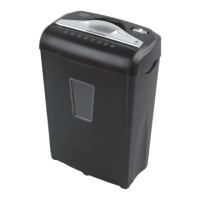
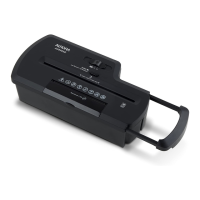
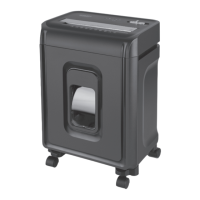
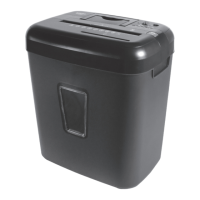
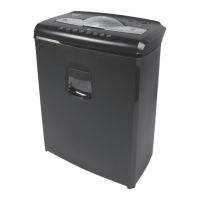
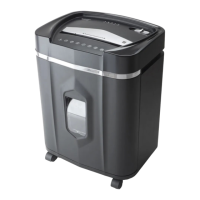
The Aurora AU875XA is a crosscut paper and credit card shredder designed for personal and small office use. It offers a range of features for efficient and secure document disposal, along with safety mechanisms and maintenance guidelines to ensure longevity and optimal performance.
Function Description:
The primary function of the Aurora AU875XA is to shred paper documents and credit cards into small, unreadable pieces, thereby protecting sensitive information from unauthorized access. It operates with an "Auto / On" mode for automatic shredding upon paper insertion, an "Off" mode for safety when not in use, a "Reverse" mode to clear paper jams, and a "Forward (Jam Remover)" mode for manual activation to clear stubborn jams. The shredder is equipped with a built-in safety interlock mechanism that requires it to be correctly mounted on its included wastebasket to operate, preventing accidental exposure to the sharp cutting blades. It also features LED status indicators for "Ready (Power On)" and "Overheat," providing visual cues on the shredder's operational status.
Important Technical Specifications:
- Sheet Capacity: 8 sheets of 20 lb. bond paper per pass. It's important to note that one folded sheet of paper equates to two sheets of paper, and heavier paper, humidity, or non-rated voltage may reduce shredding capacity.
- Paper Shred Size: 3/16 inches x 1 27/32 inches (0.5 cm x 4.7 cm) pieces, indicating a crosscut shred type for enhanced security.
- Paper Entry Width: 8.7 inches (220 mm), accommodating standard letter and legal-sized documents.
- Credit Card Capacity: 1 at a time.
- Duty Cycle: 3 minutes on / 30 minutes off. This specifies the maximum continuous operating time before the shredder needs to cool down to prevent overheating.
- Voltage: 120V AC 60Hz / 2.2 A, suitable for standard electrical outlets in the USA.
- Model No.: AU875XA.
Usage Features:
- Automatic Operation: In "Auto / On" mode, the shredder automatically starts when paper is inserted into the feed slot and stops once the paper has passed through.
- Jam Clearing: The "Reverse" mode helps clear paper that has not passed through the cutters, while the "Forward (Jam Remover)" mode allows for manual activation to cut through stubborn jams. For severe jams, shredder oil or a rigid piece of cardstock can be used to assist.
- Credit Card Shredding: The shredder can handle one credit card at a time, fed vertically into the middle of the entry slot.
- Staples and Small Paper Clips: The shredder is capable of shredding staples and small paper clips, though removing them is recommended to extend the lifespan of the shredder.
- Safety Interlock: The shredder head must be properly seated on the provided wastebasket for the unit to operate, thanks to a safety switch that prevents operation when the head is lifted or removed.
- Overheat Protection: If the shredder operates continuously beyond its duty cycle and overheats, it will automatically shut off. The "OVERHEAT" LED will illuminate, and the unit will require a 30-minute cool-down period before resuming normal operation.
- Wastebasket Compatibility: Specifically designed to work with the included wastebasket. Using plastic bags to line the wastebasket may interfere with the safety activation switch and prevent the shredder from functioning.
Maintenance Features:
- Oiling Procedure: To maintain optimal performance and extend the lifespan of the shredder blades, it is recommended to oil them monthly. The procedure involves turning off the shredder, applying vegetable, cooking, or shredder oil across the paper entry, and then running the shredder in "Reverse" mode for 3-5 seconds. Note that lubricating oil is not included.
- Cleaning: The shredder should always be unplugged before cleaning. It should only be cleaned by wiping the unit with a dry, soft cloth or towel. Water should not be used to clean or immerse the shredder, as this can damage electrical components. Flammable materials should never be used for cleaning.
- Sensor Cleaning: If the shredder runs constantly in "Auto (On)" mode, the activation sensor might be blocked by dust, debris, or oil. A cotton swab can be used to clean the sensor, which is located around the center of the feed entry. Canned air should not be used.
- Wastebasket Management: To prevent jams, the wastebasket should not be allowed to become full, as this can cause shredded material to be pulled back into the shredder.
The Aurora AU875XA emphasizes user safety through clear warnings against touching the feed opening, inserting foreign objects, or getting loose clothing/jewelry/hair near the slot. It also advises against using aerosol products or flammable oils near the shredder due to fire risk and warns against shredding certain materials like large paper clips, bound pages, or hard plastics (except credit cards) to prevent damage. Adhering to the specified sheet capacity is crucial to avoid extensive damage to the machine. The manufacturer's warranty is void if the product is serviced by unauthorized personnel or if the factory seal is broken.

 Need help?
 General

 To Next Page