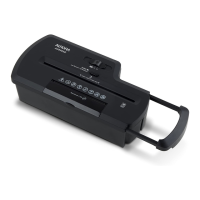
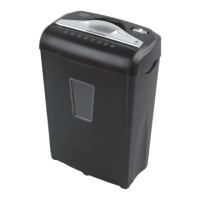
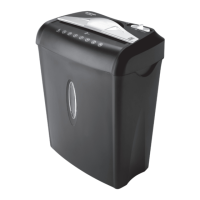
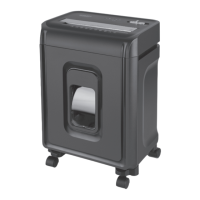
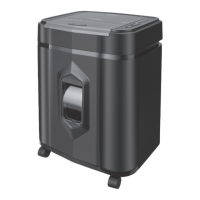
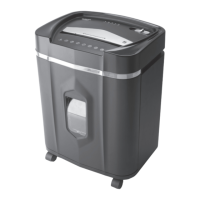
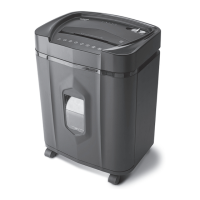
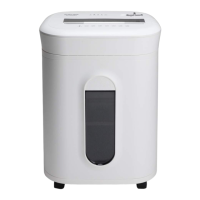
This document is a user manual for the Aurora AU650MA paper shredder, featuring ShredSafe™ active safety technology.
Function Description:
The Aurora AU650MA is a micro-cut paper shredder designed for personal or small office use. Its primary function is to shred paper documents and credit cards into small, unreadable pieces, enhancing security and privacy. The shredder operates with an "Auto/On" mode, allowing for automatic start when paper is inserted, and an "Off" mode for safety when unattended. It also includes a "Reverse" mode to help clear paper jams. A key safety feature is the ShredSafe™ technology, which detects forced entry into the feed slot and automatically cuts power, preventing further shredding. This system requires the shredder cover to be correctly aligned with the "READY" setting for operation.
Important Technical Specifications:
- Shred Type: Micro-cut
- Shred Size: 0.16 in. x 0.47 in. pieces (4 mm x 12 mm pieces)
- Sheet Capacity: 6 sheets of 20 lb. bond paper (One folded sheet of paper equates to 2 sheets of paper). Heavier paper, humidity, or lower than rated voltage may reduce capacity.
- Paper Entry Width: 8.7 in. / 220 mm
- Credit Card Capacity: 1 at a time
- Duty Cycle: 2 minutes on / 30 minutes off (This indicates the maximum continuous shredding time before the unit needs to cool down to prevent overheating).
- Voltage: 120V~60Hz / 3.0 A
- Safety Feature: ShredSafe™ active safety interlock mechanism.
- Wastebasket: Integrated, and the shredder head must be correctly mounted on it for operation.
Usage Features:
- Control Switch: A sliding switch allows selection between "AUTO/ON," "OFF," and "REV" (Reverse) modes.
- Automatic Operation: In "AUTO/ON" mode, the shredder starts automatically when paper is inserted and stops when shredding is complete.
- ShredSafe™ Cover: The shredder features a cover that needs to be pressed open to expose the paper feed slot. For operation, the "SHREDDER STATUS" line on the cover must align with the "READY" setting. If the cover is opened beyond this position, the ShredSafe™ feature activates, disabling the shredder. The cover can be tilted shut after use to prevent accidental entry of objects.
- Credit Card Shredding: Credit cards should be fed vertically into the middle of the entry, one at a time.
- LED Status Indicators:
- Power On (Green LED): Indicates the shredder is "On" and ready for use.
- Overheat (Red LED): Illuminates when the shredder has operated continuously beyond its maximum running time and overheated. The unit will automatically shut off, requiring a 30-minute or longer cool-down period before resuming operation.
- Staple and Small Paper Clip Friendly: The shredder can shred staples and small paper clips, though removing them is recommended to extend the shredder's lifespan.
- Safety Interlock: The shredder head must be correctly seated on the included wastebasket for the unit to operate, preventing accidental operation if the head is lifted or removed.
Maintenance Features:
- Oiling Blades: It is recommended to oil the shredder blades monthly with basic vegetable oil, cooking oil, or shredder oil. The procedure involves turning off the shredder, applying oil across the paper entry, and then running the shredder in reverse mode for 3-5 seconds. Lubricating oil is not included.
- Cleaning:
- Always unplug the shredder before cleaning.
- Clean the unit by wiping it with a dry, soft cloth or towel.
- Do not immerse the shredder in water or use flammable materials for cleaning.
- If the unit gets wet, dry it completely with a cloth or towel.
- Do not spray or keep aerosol products in or around the shredder.
- Do not use canned air on the shredder.
- Wastebasket Management: Never let the wastebasket become full, as this can lead to shredded material being pulled back into the shredder and cause jams.
- Clearing Paper Jams:
- Switch to "REV" (Reverse) mode to back up and loosen jammed paper. Tug and remove sheets if necessary.
- For stubborn jams, apply shredder oil (or cooking oil) into the feed slot where the paper is jammed, let it soak for about 30 minutes, then switch back to "Auto-On" mode. An index card or rigid sheet of cardstock can be used to push the jammed paper through.
- Cleaning Activation Sensor: If the shredder runs constantly in "Auto (On)" mode, the activation sensor might be blocked by dust, debris, or oil. A cotton swab can be used to clean the sensor, which is located around the center of the feed entry. Do not use canned air.
- Warranty: Failure to properly maintain the shredder will void the warranty. Do not attempt to repair the shredder head by opening it, as this will also void the warranty.

 Need help?
 General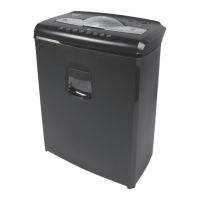

 To Next Page