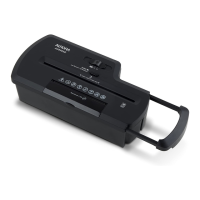
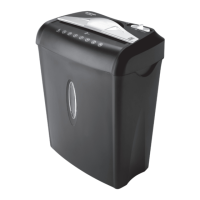
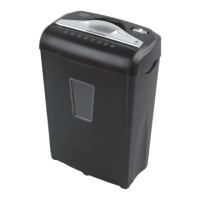
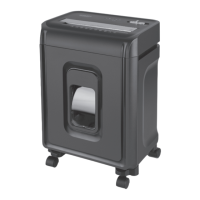
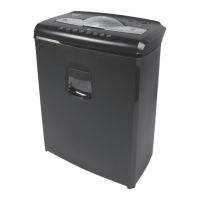
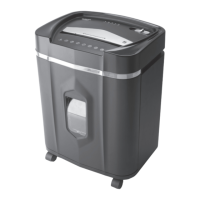
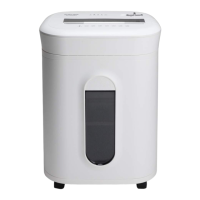
This document describes the Aurora AU808MA shredder, a device designed for securely disposing of sensitive paper documents, credit cards, and CDs/DVDs. It emphasizes safety, proper operation, and maintenance to ensure longevity and optimal performance.
The primary function of the Aurora AU808MA is to shred various materials into small, unreadable pieces, thereby protecting personal and confidential information. It is capable of shredding paper, credit cards, and CDs/DVDs. The shredder is designed for home or small office use, offering a convenient way to manage document disposal.
Usage Features:
The shredder operates via a control switch with three main settings: AUTO, OFF, and REV (REVERSE).
- AUTO: This is the standard operating mode. When set to AUTO, the shredder automatically starts when paper is inserted into the feed slot and stops once the paper has passed through. This provides hands-free operation for efficient shredding.
- OFF: This setting turns off all shredder functions. It is recommended to keep the shredder in the "Off" position when it is unattended or not in use, primarily for safety reasons.
- REV (REVERSE): This setting is crucial for clearing paper jams. If paper does not pass through completely, activating the reverse function can help to back out the jammed paper from the cutters. It is important to empty the wastebasket before attempting to clear a jam using the reverse function.
- Jam Remover / FWD>>: This feature allows for manual activation of the shredder into cutting mode, which can also be used to help clear cutters in the event of a paper jam.
The shredder includes LED status indicators for various operational states:
- Power On (Green LED): Indicates that the shredder is "On" and ready to operate when paper is inserted.
- Overheat (Red LED): Lights up if the shredder has been used continuously beyond its maximum running time and has overheated. In this state, the unit will automatically shut off. Users must switch the shredder Off and allow it to cool for at least 30 minutes before resuming operation.
- Overload (Red LED): Illuminates when too much paper is inserted into the feed slot. When this occurs, users should switch to "Reverse" mode to back up the paper and reduce the number of sheets.
- Misaligned (Red LED): Indicates that the shredder head is not securely mounted to the rim of the wastebasket. The shredder will not operate unless it is properly seated.
The shredder features separate entry slots for paper and credit cards/CDs/DVDs. For paper, it is important to insert sheets as straight as possible and not exceed the specified sheet count per pass to prevent jams and damage. For credit cards and CDs/DVDs, only one item should be fed at a time, holding the CD/DVD by its edge and releasing it once shredding begins. The shredder will stop automatically once the entire disc is destroyed. It is capable of shredding small paper clips and staples, though removing them is recommended to extend the shredder's lifespan.
A built-in safety interlock mechanism ensures that the shredder will not operate unless it is correctly mounted onto the included wastebasket. This prevents accidental exposure to the sharp cutting blades on the underside of the shredder head.
Maintenance Features:
Regular maintenance is essential for the Aurora AU808MA to ensure its longevity and maintain optimal performance.
- Oiling the Shredder Blades: It is recommended to oil the shredder blades monthly using basic vegetable oil, cooking oil, or dedicated shredder oil. The procedure involves turning off the shredder, applying oil across the feed slot, and then running the shredder in reverse mode for 3-5 seconds. This helps keep the blades operating smoothly. Shredder oil is not included with the unit.
- Emptying the Wastebasket: The wastebasket should be emptied regularly, especially when shredded materials fill the window, to prevent paper jams. Allowing the wastebasket to become too full can cause shredded materials to be pulled back into the shredder, leading to jams.
- Cleaning the Shredder: The shredder should always be unplugged from the AC outlet before cleaning. The unit should be wiped with a dry, soft cloth or towel. It is crucial not to use flammable chemicals or immerse the shredder in water, as this can cause serious injury, damage, or malfunction to electrical components. If the unit gets wet, it should be dried completely immediately.
- Sensor Cleaning: If the shredder runs continuously, it may indicate that the activation sensor in the feed slot is obstructed. To resolve this, unplug the machine from the wall socket, locate the activation sensor in the center of the feed slot, and gently wipe away any dust or debris with a cotton swab.
Safety Instructions:
The manual highlights several critical safety instructions:
- Always read instructions before use.
- Do not touch the document feed opening with hands.
- Keep loose clothing or jewelry away from the paper entry slot.
- Avoid getting hair near the paper entry slot.
- Keep away from moving parts.
- Do not spray or keep any aerosol products in or around the shredder.
- Do not insert foreign objects into the paper entry slot.
- The product is not intended for use by children.
- Always turn off and unplug the power cord when not in use, before cleaning, moving, or emptying the wastebasket.
- Never use petroleum-based or flammable oils/lubricants in or around the machine due to fire risk.
- Do not dispose of flammable chemicals or materials (e.g., nail polish, acetone, gasoline) in the shredder basket.
- Do not hold CD/DVD with a finger through the center ring while feeding.
- Never attempt to clean or clear the shredder blade directly.
- Ensure the socket-outlet is near and easily accessible.
- Do not place the shredder near water or any heat source.
- Do not use the shredder if the power cord is damaged.
- Do not attempt to service the product yourself, as this voids the warranty and exposes you to sharp cutting blades and/or electricity.
- Remove binding from checkbooks or notepads before shredding.
- Do not use canned air on the shredder.
By adhering to these operational guidelines and maintenance practices, users can ensure the safe and effective use of their Aurora AU808MA shredder for reliable document and media destruction.

 Need help?
 General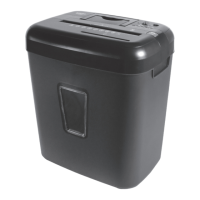

 To Next Page