36
Should you need more
space on the navigation
tower for your GPS, tablet
or roadbook holder, you can
choose to install the speedo
on the handlebars.
Remove the speedo and the
speedo bracket from the
backplate (see page 18).
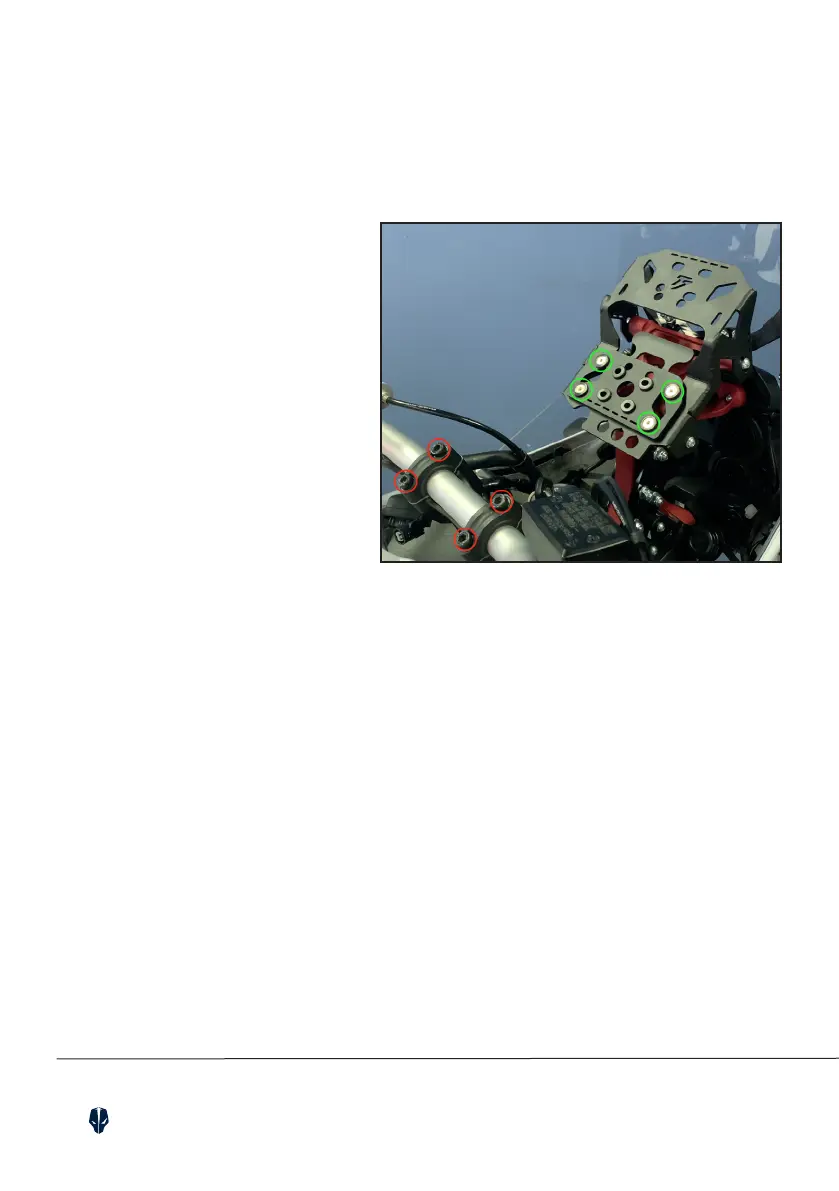
Remove the handlebar bolts
(red circles).
Install the supplied bracket
on the backplate using the
included countersunk bolts
(green circles).
This way you can install
any additional device
on the tower.
19. SPEEDO ON BARS (OPTIONAL)


 To Next Page