68
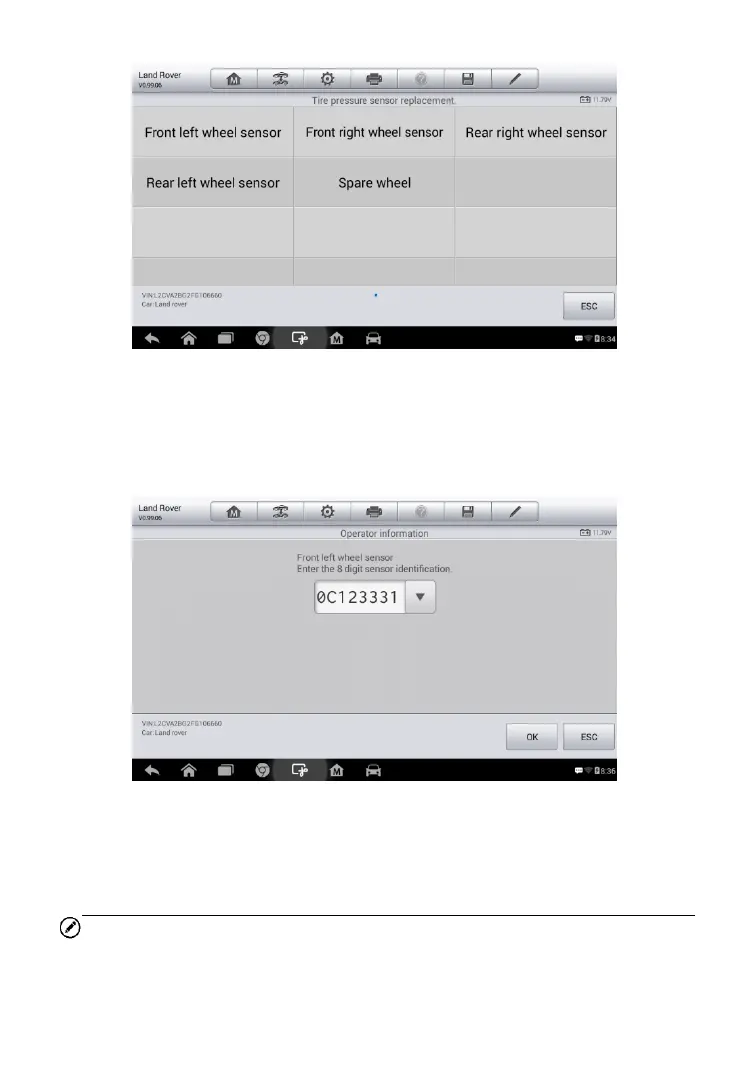
1) Tap Front left wheel sensor on the tire pressure sensor
replacement menu.
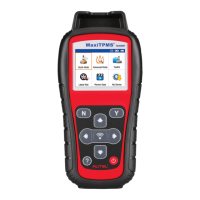
2) Enter the 8 digit sensor identification as required. Press OK.
3) Continue to select tire position and enter sensor IDs.
A message will display when the entered IDs have been registered to
the vehicle.
NOTE
The vehicle must remain stationary for at least 15 minutes with the ignition
off, this will place the sensors into sleep mode. The vehicle must be driven
for at least 15 minutes at a speed higher than 20 kph to ensure the module
Figure 5-31 Sample Tire Pressure Sensor Replacement Screen
Figure 5-32 Sample Sensor ID Input Screen


 To Next Page