91
NOTE
Ensure the tool is or will be connected to the Internet at the time the
update is set to be conducted.
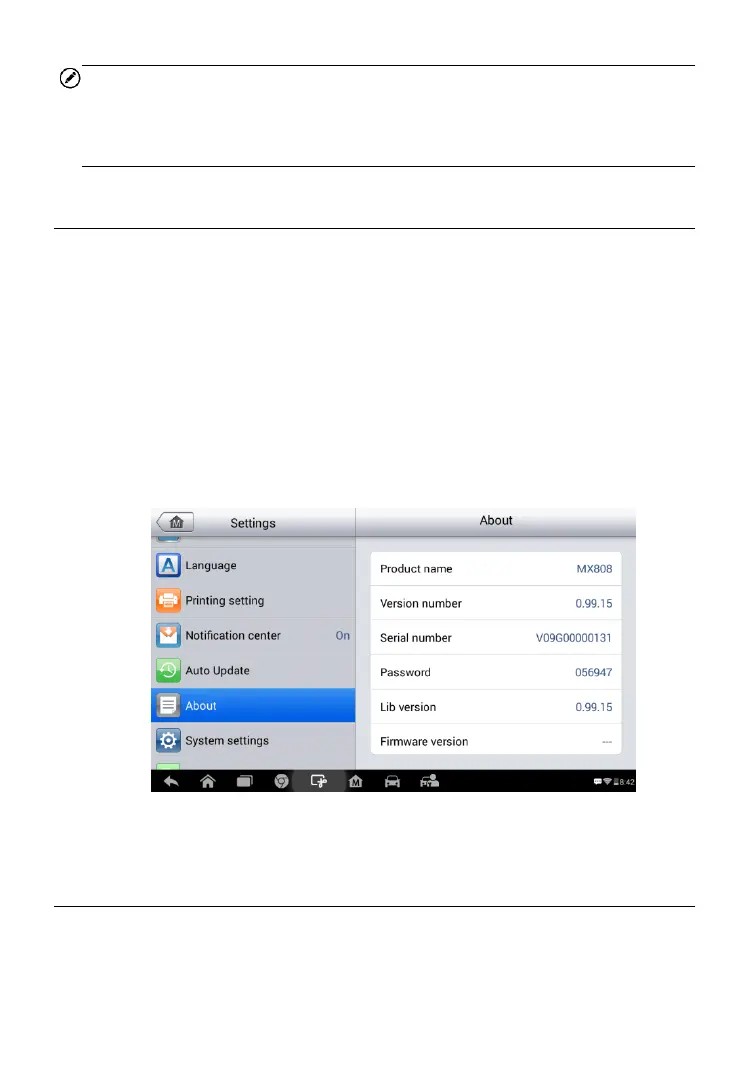
About
The About screen lists the MaxiCheck's version, hardware and serial
number.
To access the About screen:
1. Tap the Settings application on the MaxiCheck Job Menu.
2. Tap the About option on the left column. The product information
screen displays on the right.
3. Tap the Home button on the top left corner to return to the
MaxiCheck Job Menu, or select another setting.
System Settings
Access the Android background system setting screen to adjust operating
system settings including wireless and networks settings,
Figure 8-6 Sample About Screen



 To Next Page