72
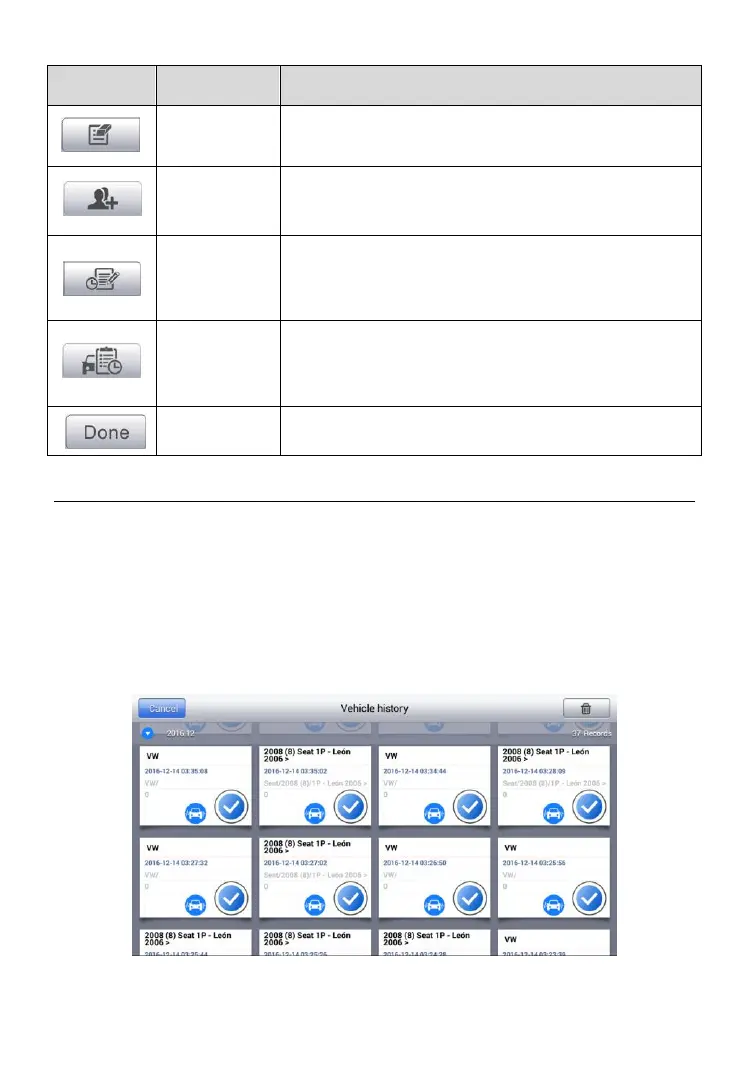
Tap this button to edit information the displayed
file.
Tap this button to create a new customer
account file.
Tap this button to open a note form, which
allows you to create audio record, attach picture
or video, or edit text notes.
Tap this button opens the Vehicle History
screen which displays the correlated test vehicle
records.
Complete editing and save the file.
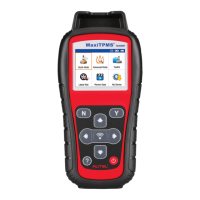
Vehicle History
This function stores records of test vehicle history, including vehicle
information and the retrieved DTCs from previous diagnostic sessions,
and displays all information in an easy-to-check table, on which you can
view summarized details and manually input other information about
the test vehicle and diagnostic loggings. The Vehicle History also provides
direct access to the previously tested vehicle and allows you to restart a
diagnostic session without the need to re-enter vehicle identification.
Figure 6-1 Sample Vehicle History Screen


 To Next Page