89
Notification Center
This option allows you to turn the Notification Center function on or off. The
Notification Center function configures the MaxiCheck tablet to
receive system and service update notifications from Autel. To ensure
you receive all such notifications, keep this function on at all times.
Internet access is required.
To enable the Notification Center function
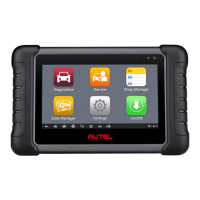
1. Tap the Settings application on the MaxiCheck Job Menu.
2. Tap the Notification Center option on the left column.
3. Tap the ON/OFF button to enable or disable the Notifications
function. If the function is enabled the button is blue, if disabled, the
button is gray.
4. Tap the Home button on the top left corner to return to the
MaxiCheck Job Menu or select another setting.
When the Notification Center function is on and messages are received
by the MaxiCheck device, a notification message will display on the
MaxiCheck Job Menu. Press on the message bar and drag it down. The
received messages are displayed as a list. Slide the list up or down to
scroll through messages.
Tap the specific message to launch its corresponding application. For
example, if you tap on an Update notification message, the
Update application will launch.
Auto Update
The Auto Update allows the tool to automatically update the
operating system, the MaxiCheck system and vehicle software. Tap the
button on the right side of each software update to perform and set the
the time the automatic update should be done.
To set auto system or vehicle update
1. Tap the Settings application on the MaxiCheck Job Menu.


 To Next Page