88
NOTE
To print, the tablet must be connected, either via WiFi or through a
cabled network connection to the same network as the computer, with
the installed MaxiSYS Printer application, connected to a printer.
To perform printing via PC
1. Run the MaxiSys Printer on the computer.
2. Click Test Print to make sure the printer is working successfully.
3. Tap the Print button on the toolbar of the t ablet. A temporary
document will be created and sent to the computer.
If the Auto Print option in the MaxiSys Printer is selected, the
MaxiSys Printer will print the received document automatically.
If the Auto Print option is not selected, click the Open PDF
File button to view all the temporary files. Select the file(s) you
want to print and click Print.
To perform printing via APP
The tablet does have the ability to print via APP to a Wi-Fi enabled
printer. Download and install the Android APP compatible with your
printer. To print a saved document, tap the Print button of a saved file
on the tablet.
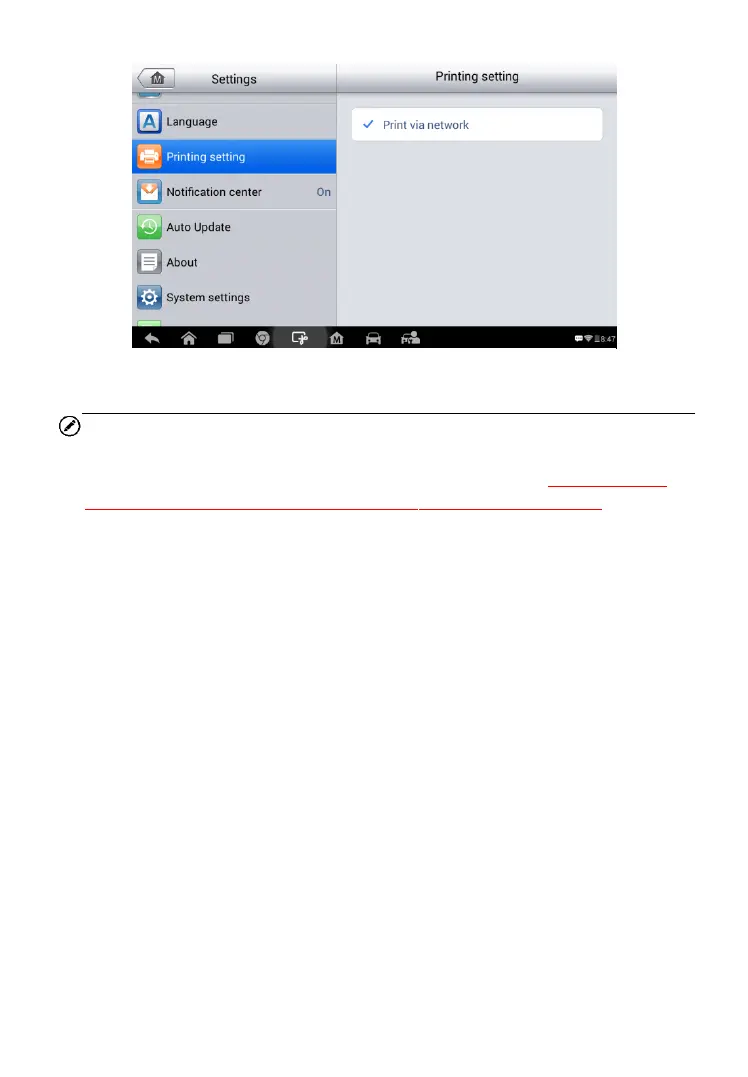
Figure 8-3 Sample Printing Setting Screen


 To Next Page