
 Need help?
Do you have a question about the Autel MaxiCheck MX808TS and is the answer not in the manual?
Explains hazard level indicators like DANGER, WARNING, and NOTE for safety warnings.
Provides general guidelines and precautions for safe operation and device usage.
Details text conventions, notes, hyperlinks, and illustration usage.
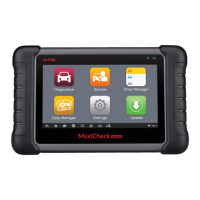
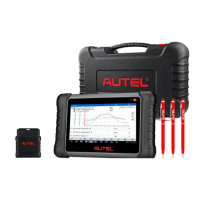
Describes the main tablet component, its functions, and physical features.
Explains the MaxiVCI Mini's role in vehicle communication.
Step-by-step instructions for turning on the diagnostic tablet.
Procedure for safely shutting down the diagnostic tablet.
Steps to connect the diagnostic tool to the vehicle via VCI.
Methods for identifying the vehicle for diagnostic sessions.
Performs a comprehensive scan of all vehicle ECUs.
Accesses specific ECUs for detailed diagnostics and functions.
Reading and erasing diagnostic trouble codes (DTCs).
Displays real-time vehicle sensor and parameter data.
Resets the engine oil life system after maintenance.
Maintains the electronic braking system components.
Evaluates battery charge state and registers battery replacement.
Calibrates the steering angle sensor to the vehicle's straight-ahead position.
Manages DPF regeneration and component teach-in procedures.
Programs replacement key fobs and manages immobilizer functions.
Procedure for selecting the vehicle make, model, and year for TPMS services.
Activates TPMS sensors and displays their data.
Programs new MX-Sensors with sensor data.
Writes sensor IDs into the vehicle ECU for recognition.
Overview of the MaxiBAS BT506 battery and electrical system analyzer.
Tests vehicle batteries, starters, and generators while installed.
Tests batteries independently of a vehicle connection.
Adjusts measurement units between Metric and Imperial.
Changes the device's display language.
Configures automatic updates for OS and vehicle coverage software.
Downloads and installs software updates for the main tablet device.
Updates the VCI firmware via the tablet or a PC.
Stores and reviews past vehicle diagnostic records.
Creates and manages customer accounts and their vehicle history.
Registers the device to access online support and download updates.
Accesses online forums for technical discussions and support.
Instructions for using the inspection camera to capture images and videos.
Guidelines for maintaining the tool for optimal performance.
Steps to diagnose and resolve common device issues.
Details the product's warranty coverage and exclusions.
 General
| Operating System | Android |
|---|---|
| RAM | 2GB |
| Memory | 32GB |
| Battery Charging Input | 5V/2A |
| Display | 7-inch touchscreen |
| Processor | Quad-core processor |
| Battery | Rechargeable lithium polymer battery |
| Connectivity | Wi-Fi, Bluetooth, USB |
| Audio Input/Output | Built-in speaker, microphone |
| Operating Temp | -10°C to 50°C |
| Storage Temp | -20°C to 60°C (-4°F to 140°F) |
| Protocols | CAN |
| Supported Automotive Protocols | OBDII |
| Functions | Read/Clear Codes, Live Data, Active Test |
| Updates | Free updates for 1 year |
| Languages | Multiple languages |









 To Next Page