8
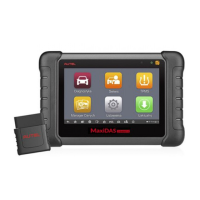
Almost all operations on the Display Tablet are controlled through the
touchscreen. The touchscreen navigation is menu driven, which allows you
to quickly locate the test procedure, or data that you need, through a series
of choices and questions. Detailed descriptions of the menu structures are
found in the chapters for the various applications.
Application Buttons
The table below gives brief descriptions of the available applications in the
MaxiDAS system.
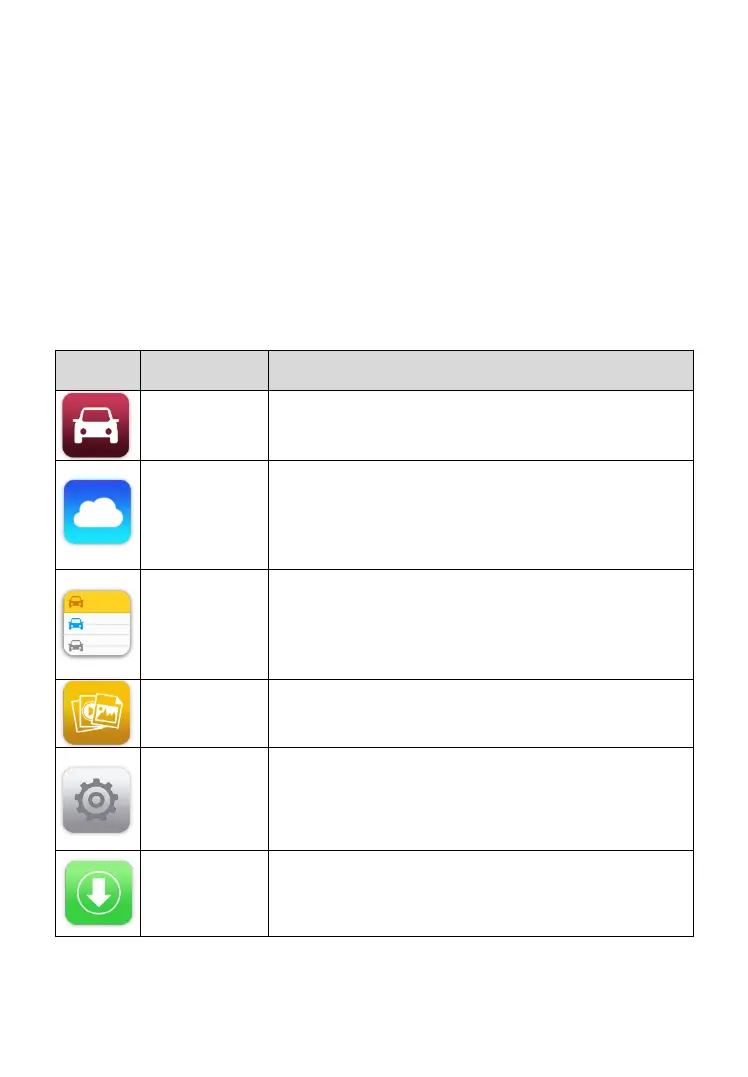
Table 3-1 Applications
Configures the unit to operate as a diagnostic tool.
See Diagnostics on page 12 for details.
Launches the MaxiFix platform which provides the
most compatible and abundant repair techniques
and diagnostics database. See MaxiFix on page 45
for details.
Allows you to edit and save workshop information
and customer data, as well as review test vehicle
history records. See Shop Manager on page 55 for
details.
Opens the organization system for saved data files.
See Data Manager on page 63 for details.
Allows you to set the MaxiDAS system settings and
to view the general information about the Display
Tablet. See Settings on page 68 for details.
Checks for the latest update available for the
MaxiDAS system and performs updating
procedures. See Update on page 77 for details.


 To Next Page