19
Navigation
This section describes how to operate the Diagnostics screen and select test
options.
Diagnostics Screen Layout
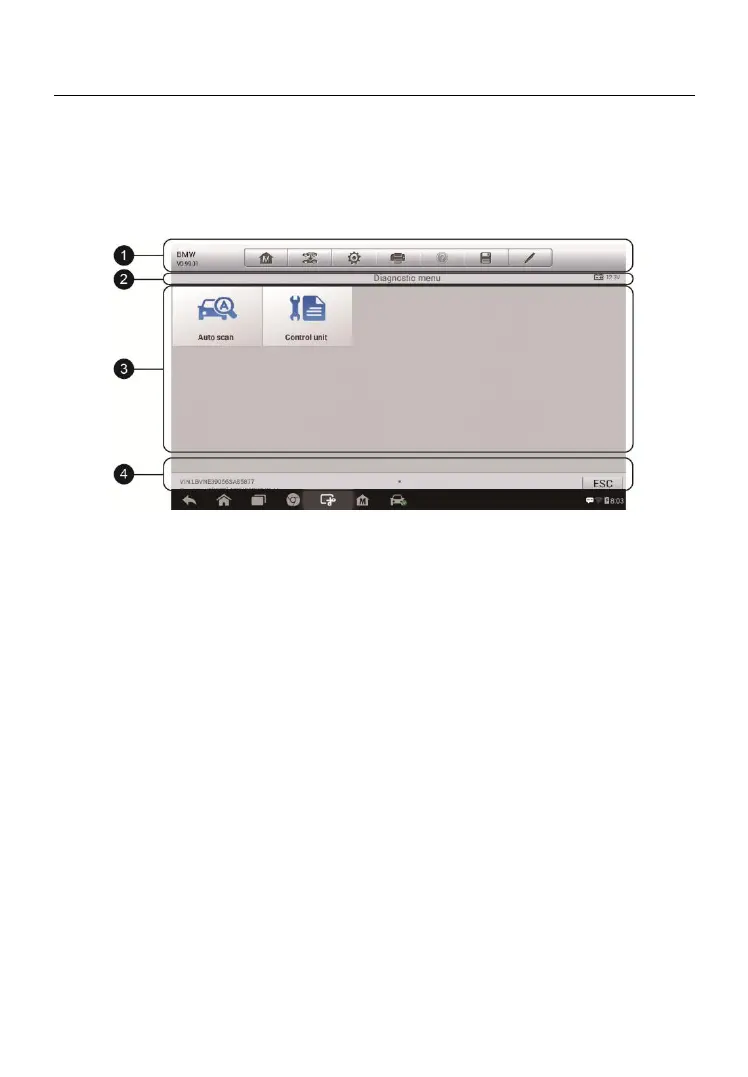
The diagnostic screens typically include four sections.
1. Diagnostics Toolbar
2. Status Information Bar
3. Main Section
4. Functional Buttons
Diagnostics Toolbar
The Diagnostics Toolbar contains a number of buttons that allow you to print
or save the displayed data and make other controls. The table below provides
a brief description for the operations of the Diagnostics Toolbar buttons.
Figure 4-8 Sample Diagnostics Screen


 To Next Page