84
Data Logging
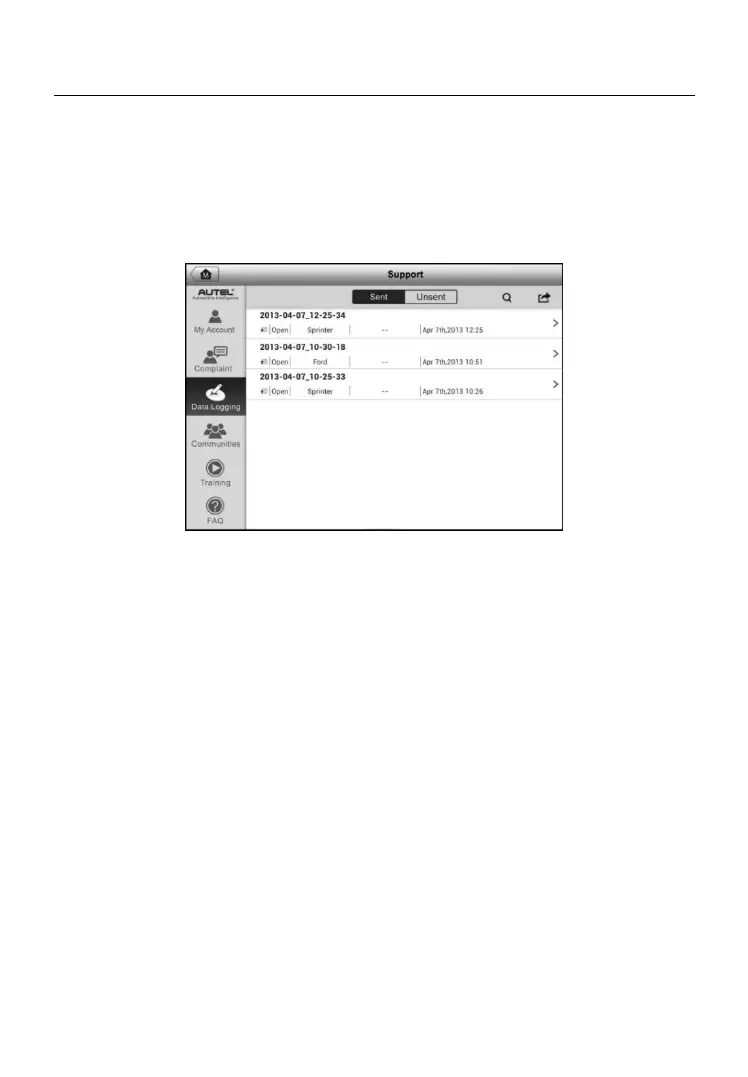
The Data Logging section keeps records of all sent or unsent (saved) data
loggings on the diagnostic system. The support personnel receive and
process the submitted reports through the Support platform, and send back
problem solutions within 48 hours to the corresponding Data Logging session,
on which you are also allowed to have a direct conversation with the support
personnel.
To make a reply in a Data Logging session
1. Tap on the Sent tag to view a list of submitted data loggings.
2. Select a specific item to view the latest update of the processing
progress.
3. Tap on the input field at the bottom of the screen, and enter the texts.
4. Tap Send to deliver your message to the technical center.
Figure 10-3 Sample Data Logging Screen


 To Next Page