183
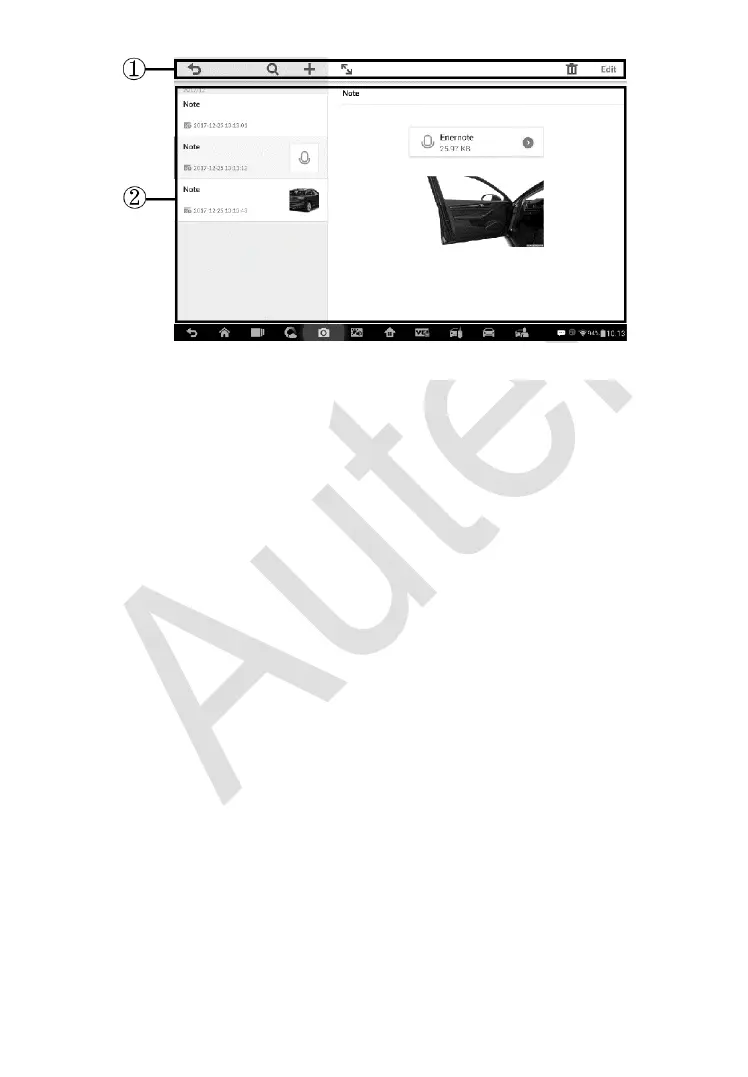
1. Functional Buttons – navigates and make various controls of the
function.
2. Main Section – displays the note list on the left column and the detail
information of the selected note on the right column.
To add a note in History Notes
1. Access History Notes.
2. Tap the Add Notes button. An edit window displays.
3. Tap on the Title bar to input a note title.
4. Tap on the blank space below to edit a text note or remark.
5. Select a function button on the top to add files in any form you
choose.
6. Tap Save to save the note; tap Discard or Cancel to exit without
saving.
Figure 12-4 Sample History Notes Screen















 To Next Page