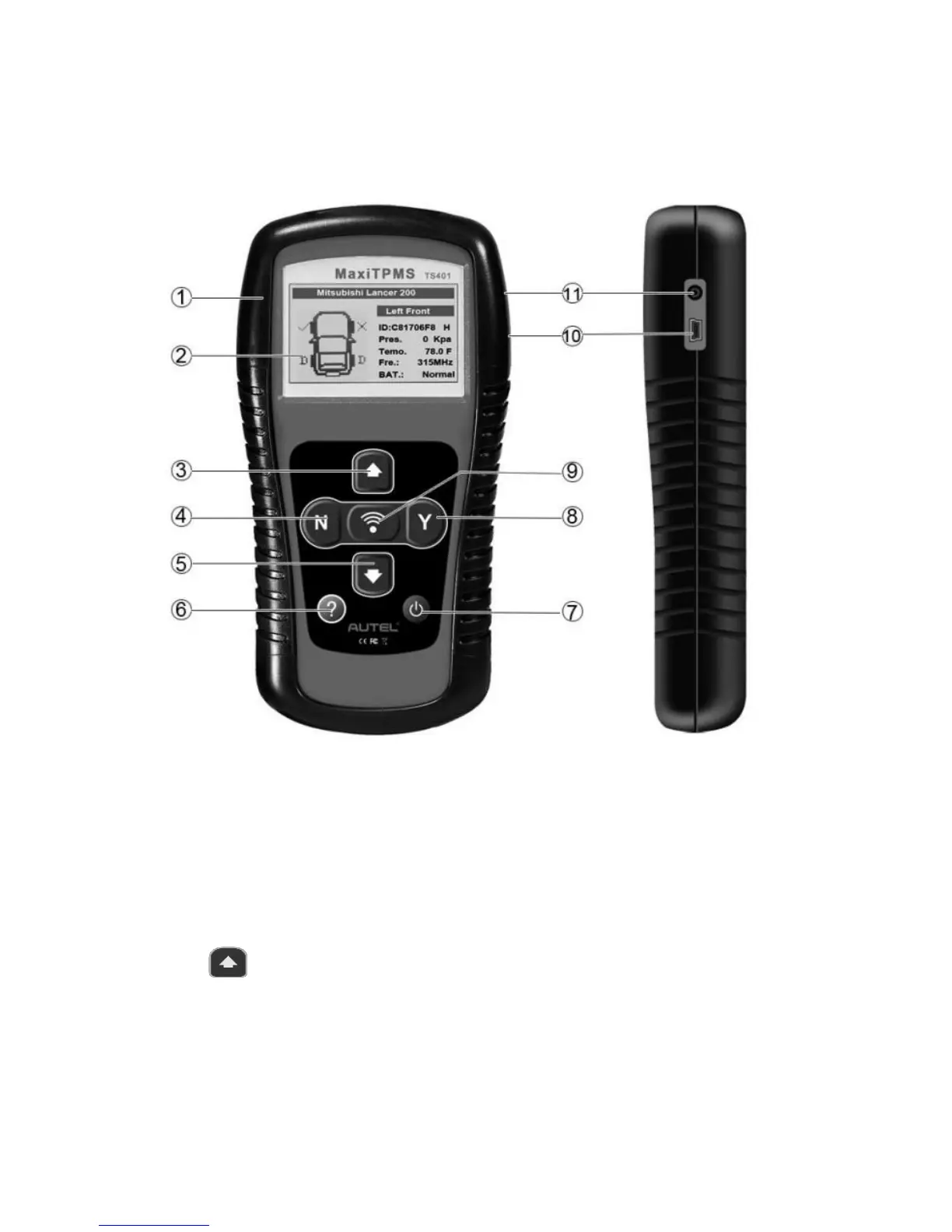
3. Tool Information
3.1 Tool Description
1) Rubber BOOT – Protects the TPMS tool from drop, abrasion,
and etc.
2) LCD DISPLAY – Indicates test results. Backlit 128*64 pixel
display with contrast adjustment.
3) UP SCROLL BUTTON – Moves up through menu and
submenu items in menu mode. When more than one set of data
are retrieved, use this button to move down to next screens for
additional data.














 To Next Page