
 Need help?
Do you have a question about the Autel MaxiVCI Mini and is the answer not in the manual?
Details the Bluetooth communication capabilities and operational range of the device.
Explains the USB 2.0 connection option for PC or diagnostic tool linkage, emphasizing ruggedness.
Describes how the device receives power from the vehicle's 12V port or via a PC connection.
Describes the 16-pin connector for interfacing with the vehicle's Data Link Connector (DLC).
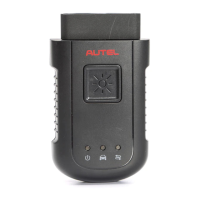
Explains the function and color indications of the device's power LED for operational status.
Details the connection LED states for USB and Bluetooth communication with other devices.
Explains the function of the USB port for PC connectivity and device control.
Details the working status indicated by the two status LEDs on the device's front panel.
Provides troubleshooting steps for communication errors between the device and the vehicle.
Offers troubleshooting steps for communication failures when connecting to a PC.
Guides on how to update the device's driver software through an online PC connection.
Details FCC compliance statements, including conditions and warnings for operation.
States compliance with FCC radiation exposure limits for uncontrolled environments.
Declares compliance with the European RoHS Directive 2011/65/EU.
Declares conformity with essential requirements of EU directives and the CE mark.
Outlines the terms and conditions for the product's one-year limited warranty.
Provides contact information for questions, support, and repair services.
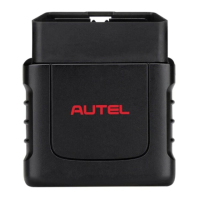
The MaxiVCI Mini is a wireless diagnostic interface designed to connect to a vehicle's diagnostic connector (DLC) and communicate wirelessly with Autel Diagnostic Tools (such as MaxiCheck MX808TS and MaxiTPMS TS608) or a standalone PC. It functions as a Vehicle Communication Interface (VCI) for vehicle data transmission, utilizing Bluetooth (BT) technology for wireless operation, allowing users to work freely around the vehicle. The device is compact and rugged, with all electronics contained within its shell.
The MaxiVCI Mini facilitates communication with a vehicle's electronic control units (ECUs), ensuring efficient and fast multi-brand diagnostics. When used with a display tablet or OEM software on a PC, it performs several key functions:
The device package includes the unit, a user manual, and a CD with the driver program and update agent.
The MaxiVCI Mini operates on 12-volt vehicle power, received through the OBD II/EOBD compliant data link connector (DLC). It powers on automatically when connected to the DLC. Alternatively, it can be powered via a USB cable connection to a PC, which is useful for firmware updates without needing to connect to a vehicle.
Wireless Communication: The MaxiVCI Mini supports BT communication, transmitting vehicle data wirelessly to compatible Autel Diagnostic Tools. The working range for BT communication is approximately 33 feet (10 meters). If the display unit moves out of range and loses signal, the connection automatically restores when brought closer to the MaxiVCI Mini.
USB Connectivity: For a direct connection, the MaxiVCI Mini can connect to compatible Autel Diagnostic Tools or a PC via a USB 2.0 full-speed connection. The USB port allows control of the device from software applications running on the PC.
Status LEDs: The device features two status LEDs on the front panel, providing visual indicators of its operational status and hardware conditions, which are helpful for troubleshooting communication or connection issues.
Power LED:
Connection LED:
Driver Setup: To ensure correct operation with diagnostic applications on a PC, the device's driver must be installed. The program package is compatible with Windows XP, Windows 7 (32 or 64 bit), Windows 8 (32 or 64 bit), or Windows 10 (32 or 64 bit). It is crucial not to plug the MaxiVCI Mini into the PC until the driver program has been installed. The installation process involves inserting the provided CD, running "Autel Run.exe," selecting the MaxiVCI Mini icon, choosing the installation language, and following the on-screen wizard instructions. During installation, a temporary MS-DOS style window may appear; it should not be closed manually as it will close automatically upon completion of the driver installation.
Product Troubleshooting: Common issues and their solutions are provided to assist users.
Vehicle Linking Error: If the MaxiVCI Mini fails to communicate with the vehicle's control module:
PC Communication Error: If there are issues with PC communication:
Firmware Update: Autel periodically releases updates for the device's drivers to resolve specific problems and ensure proper operation with OEM software. Users are advised to keep the device software and drivers updated.
Warranty and Service: Autel provides a limited one-year warranty against defects in materials and workmanship from the date of original purchase. The warranty covers repair or replacement at Autel's option, provided there is proof of purchase. It does not cover damage from misuse, abuse, negligence, accidents, unauthorized repairs, criminal activity, improper installation, normal wear and tear, or lack of maintenance. Autel is not liable for incidental or consequential damages. All information in the manual is based on the latest available data, and Autel reserves the right to make changes without notice. For questions or repairs, users should contact their local distributor or visit www.autel.com. This product is intended for professional use only.
 General
| Brand | Autel |
|---|---|
| Model | MaxiVCI Mini |
| Category | Diagnostic Equipment |
| Language | English |












 To Next Page