10
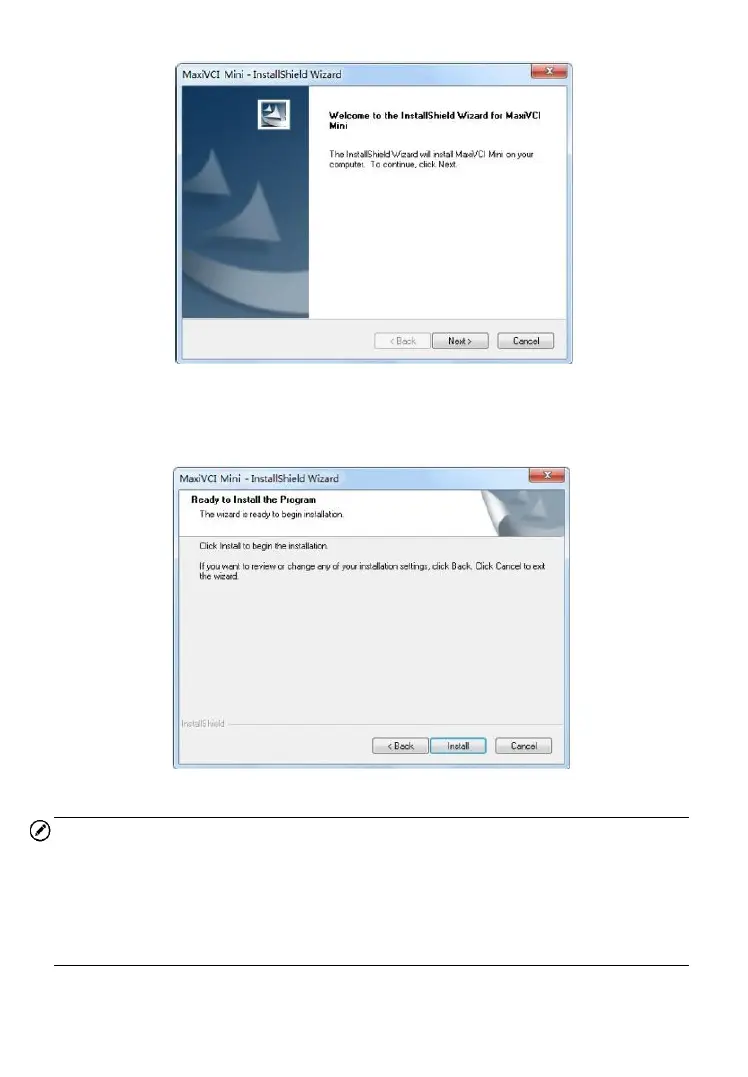
Figure 5-1 Sample Installation Step 1
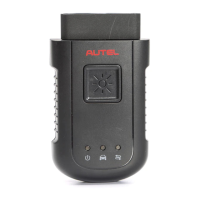
6. Click on “Install” and the driver program will be installed onto your
PC.
Figure 5-2 Sample Installation Step 2
NOTE
During this part of the process a MS-DOS style window may pop up and
may remain on your screen for a short while, which is perfectly normal.
Do not attempt to close the MS-DOS style window manually as this will
prevent the device driver being installed successfully. It will close
automatically when the device driver installation is complete.













 To Next Page