The information contained in this document is the property of Automatic Systems and is confidential. The recipient shall refrain from using it for any purpose other than the
use of the products or the execution of the project to which it refers, and from communicating it to third parties without Automatic Systems’ prior written agreement.
Document subject to change without notice.
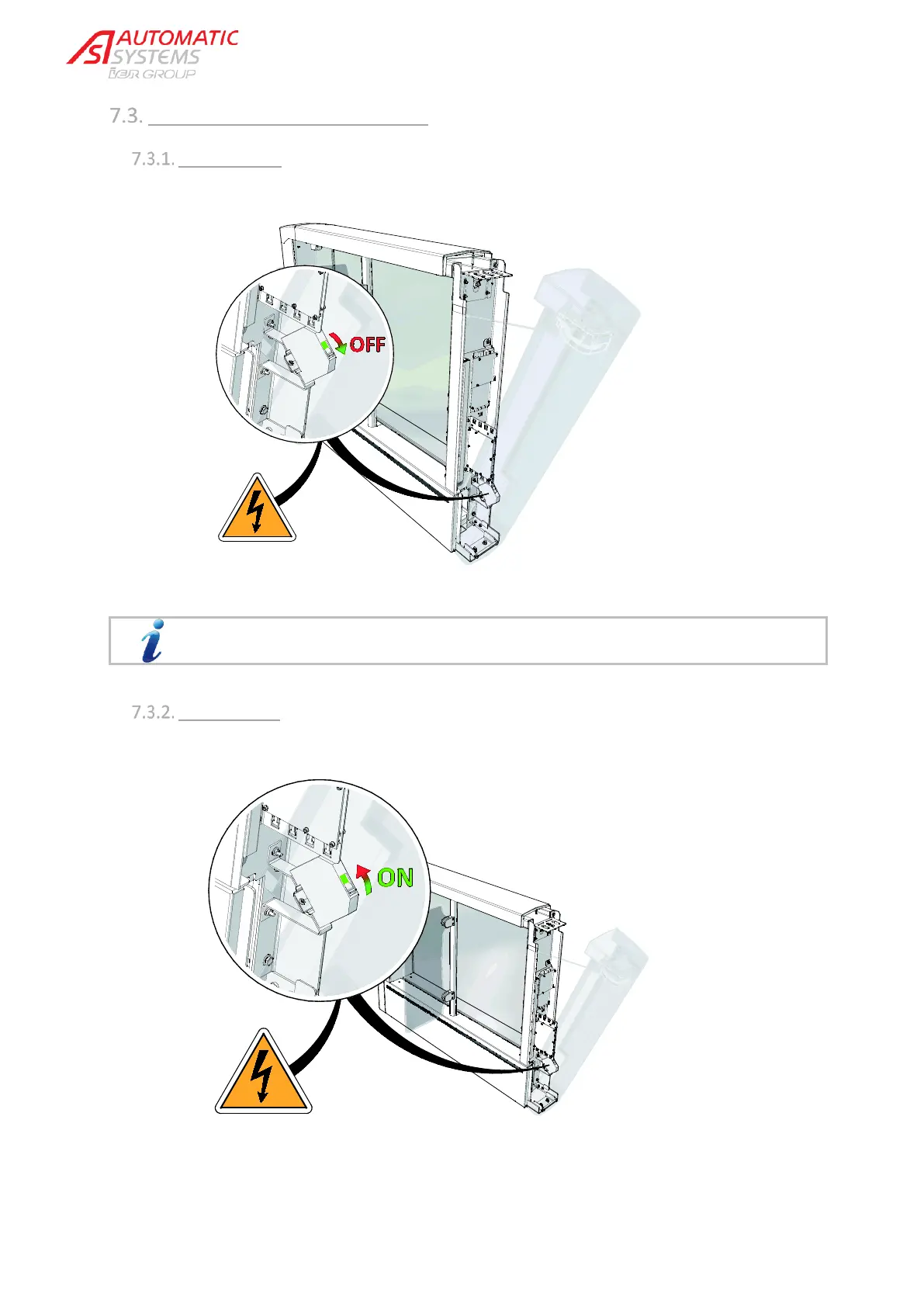
SWITCHING THE EQUIPMENT ON/OFF
Switching off:
Open the extension cover as described in the preceding paragraph and push down the main switch.
The brakes are unlocked and the obstacles released.
Switching on:
Push up the main switch.


 To Next Page