13
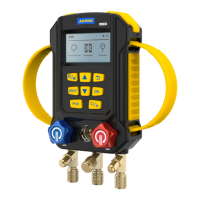
Display
Button functions
Description
Select the refrigerant model
Determine the refrigerant and enter
the measurement
Return
【 】OR【 】
【 】
【 】
Press【 】to confirm the setting.
After entering the refrigeration interface, press [Unit] to
select the pressure unit and long press to select the unit
temperature.
Pressure zeroing :
Temperature under evaporation pressure of
superheating (in case of T1>EV, SH value
shows the difference of T1 and EV, or
...
indicates the normal data)
Parameter
Description
SH
Temperature under condensation pressure of
subcooling (in case of CO>T2, SC value shows
the difference of CO and SC, or
... indicates
the normal data)
Temperature under evaporation pressure of
refrigerant
SC
EV
3 -
4 -
5 -
R13B1
-40.5 -41.0Ev Co
21.5 22.0T1 T2
... ...
SH SCK K
1.19 1.11LP HP BarBar
°C °C
°C °C


 To Next Page