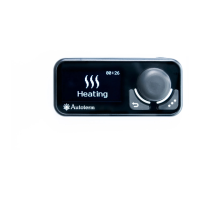
This menu is intended for setting control panel parameters.
Action of Parameters menu keys:
Navigation through the menu items
Exit from this menu to the main screen
Setting of indicator lighting time.
By default, the control panel indicator lighting time is 30
seconds. The light duration can be set in the 10 to 120 sec. range
with a 1 sec. step, or to set continuous lighting; in the latter case,
the “-“ sign will appear on the display.
Setting of indicator lighting during operation.
the indicator is dimmed while the pre-heater is on.
the indicator is constantly lit while the pre-heater is on
Setting of indicator light brightness. Indicator light brightness is
set in the 0 to 4 range. The brightness default value is 4.
Setting of start by clicking key for pre-heater/heater start.
Click – pump/ventilation start.
Press and hold – pre-heater start.
Click – pre-heater start.
Press and hold – pump/ventilation start.
Setting clock adjustment. The clock accuracy may vary slightly
due to low temperatures. The required adjustment can be set in
the -59 to +59 seconds per day range. The correction default
time is 0.
Keys lighting setting.
✓ - keys lighting ON.
- keys lighting OFF.
More information https://www.caravansplus.com.au



 To Next Page