4
4
Use Your Speaker
1.
Switch ON your speaker. The Bluetooth/AUX IN
indicator fl ashes red and blue as the speaker
searches for a Bluetooth-enabled device.
2. Activate your device’s Bluetooth function (refer
to your device’s user’s guide).
3. When AUVIO4000437 appears in the Bluetooth
devices list, pair it to your device.
4.
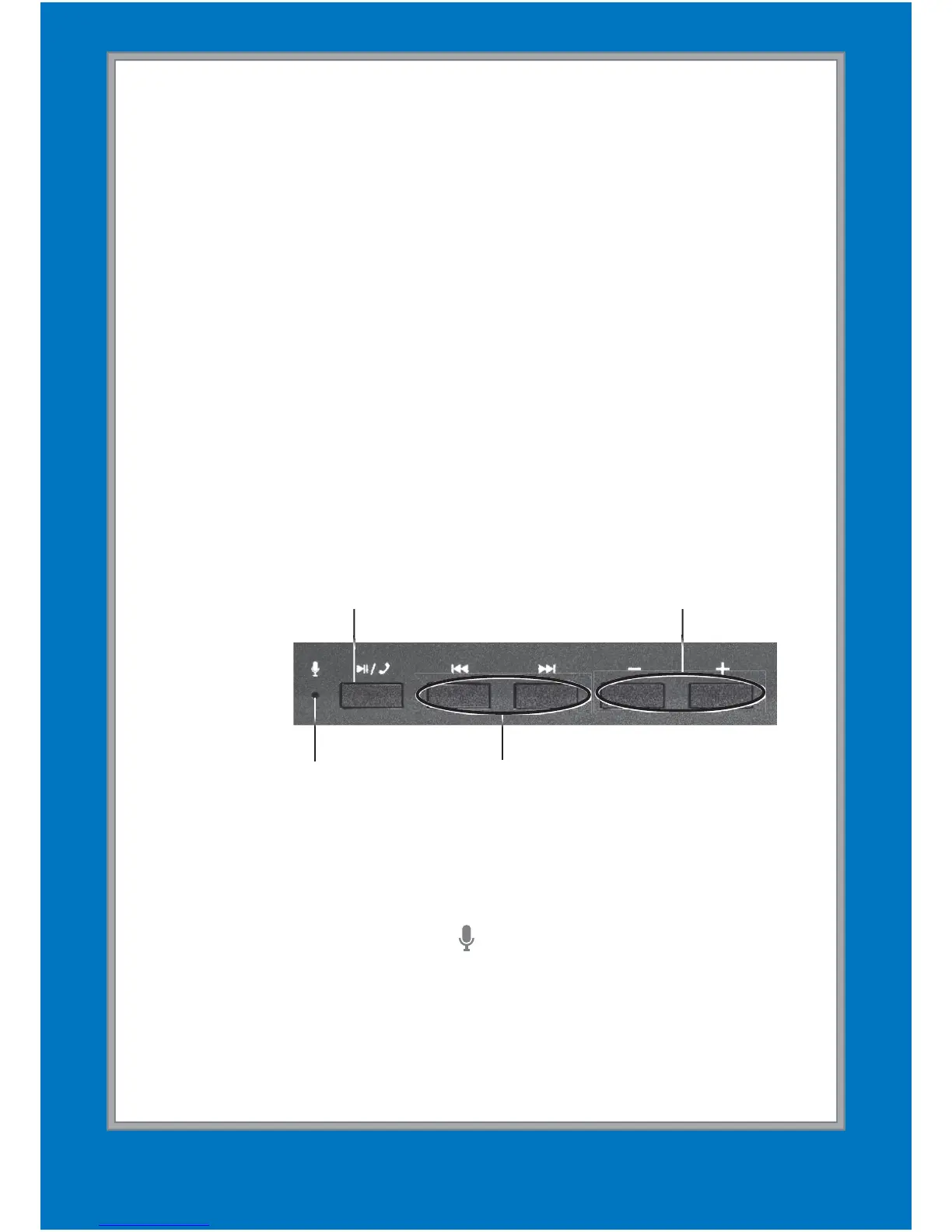
You can control your speaker through your device
or with the speaker’s
§/
, /, and +/– buttons.
Volume +/–
Previous/Next
Microphone
Play/Pause/
Receive a Call/
Disconnect Bluetooth
If a smartphone is connected and you receive a
call, answer the call by pressing §/
and speak
into the microphone ( ).
Press and hold
§/
for 4 seconds to disconnect
Bluetooth. The speaker starts searching for other
Bluetooth devices.


 To Next Page