5
5
n Note:
If you are using an iPhone, adjust the volume
level on your iPhone during a call to also set the
ringtone volume of incoming calls.
If your device uses Bluetooth 2.0 and below, enter
the password 0000 for Bluetooth connection.
If the connected device moves too far away from the
speaker, the speaker disconnects from the device
but resumes connection once the device is close.
If the speaker malfunctions, reset it by pressing
§/
twice when the
Bluetooth/AUX IN indicator
fl ashes red and blue
.
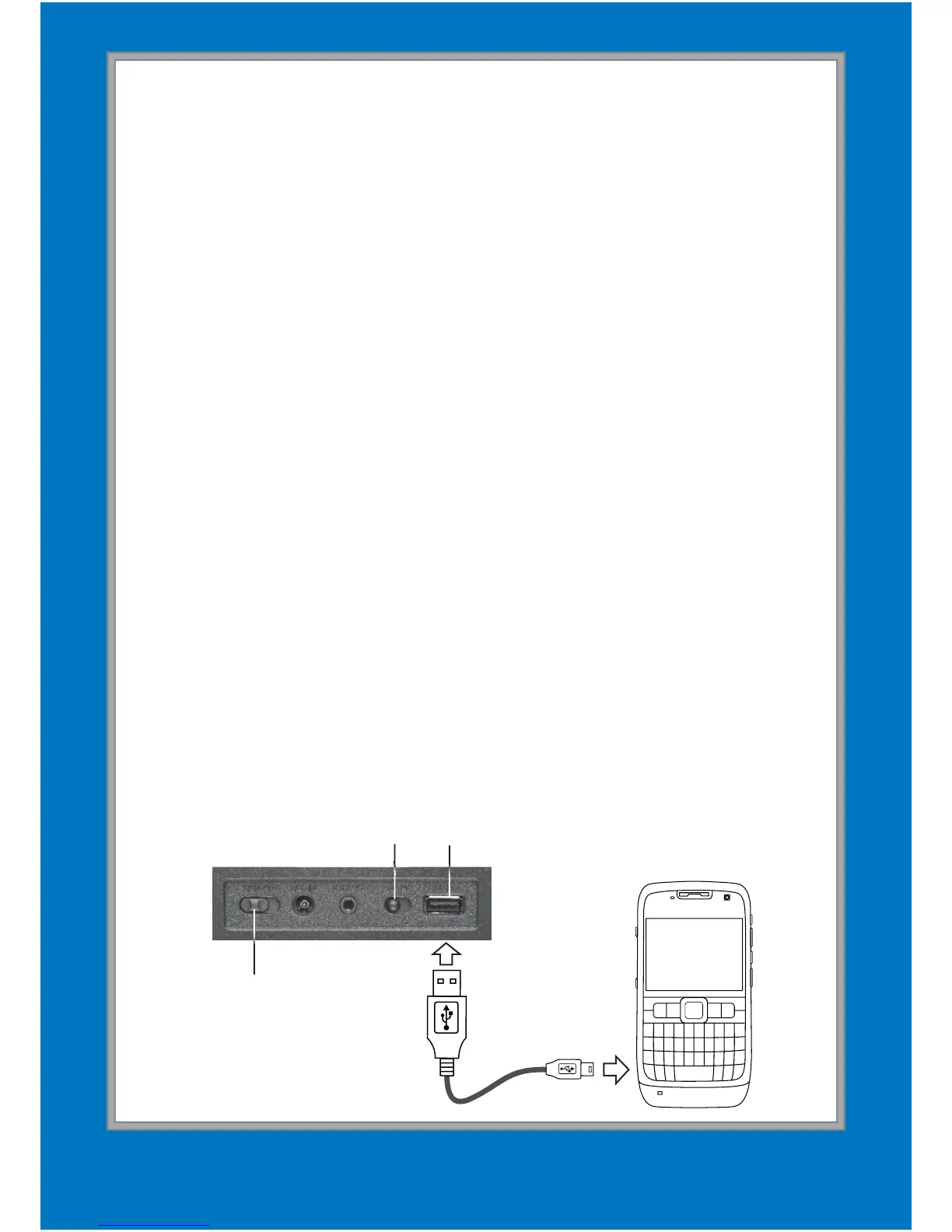
Charge Your Device
1.
Set the A/B switch to charge your device: select A
for 5V/1A Apple devices or B for other 5V/1A devices.
2.
Use a USB cable (not included) to connect your
device to the speaker’s USB port.
n Note: Consult your device’s specifi cations
before using the speaker’s charging function.
ON/OFF
A/B Switch
USB Port


 To Next Page