1. Return button. Press it to return to homepage.
2. Play list button. Click it to enter the play list interface (Figure 4).
3. Displays the current mode.
4. Information of the song being played.
5. The playing process bar.
6. Playing control button: the previous song, play / pause, the next song.
7. Playing mode button
8. Volume button. Press it and it will go mute; slide the bar “ “ and
it will adjust the volume
Pic. 4
- 5 - - 6 -
1
2
3
1. Button of "Return". Press it and return USB playing interface.
2. Play list navigation bar . It can turn page up and down when
there are many pages.
3.Playing list area, it shows the music list in USB .
3. SD play
Twice click "SD" to use SD playing mode
。
Pic.5
1 2
5
4
3
6
7
8
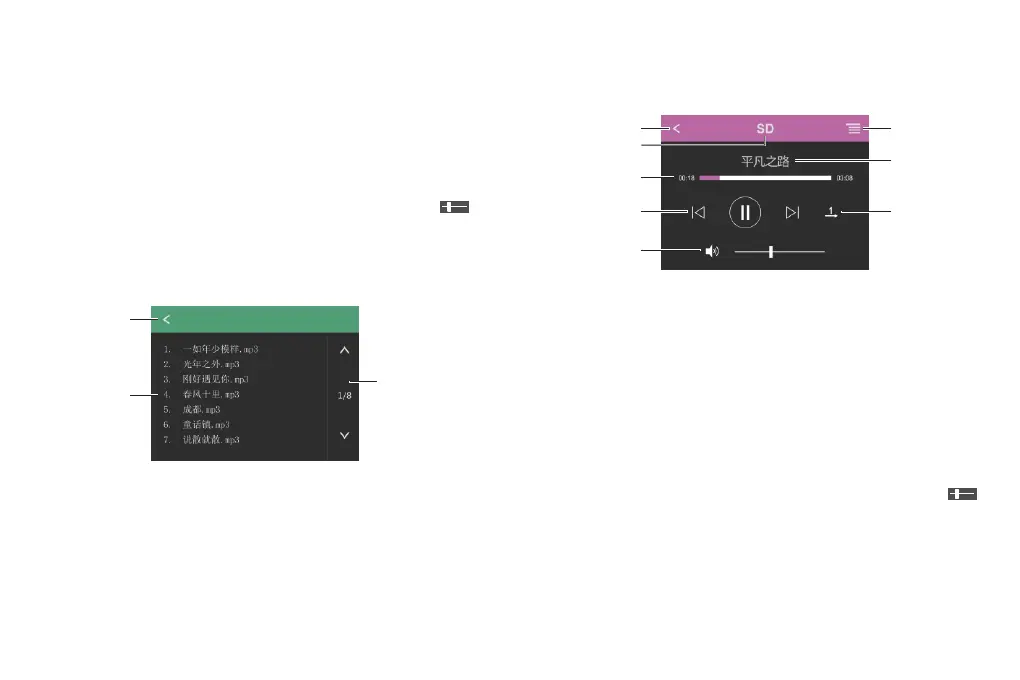
1. Return button. Press it to return to homepage.
2. Play list button. Click it to enter the play list interface (Figure 4).
3. Displays the current mode.
4. Information of the song being played.
5. The playing process bar.
6. Playing control button: the previous song, play / pause, the next
song.
7. Playing mode button
8. Volume button. Press it and it will go mute; slide the bar “ “
and it will adjust the volume
4. Bluetooth play
Twice click “Bluetooth ”to use Bluetooth play mode.
Playing list


 To Next Page