39
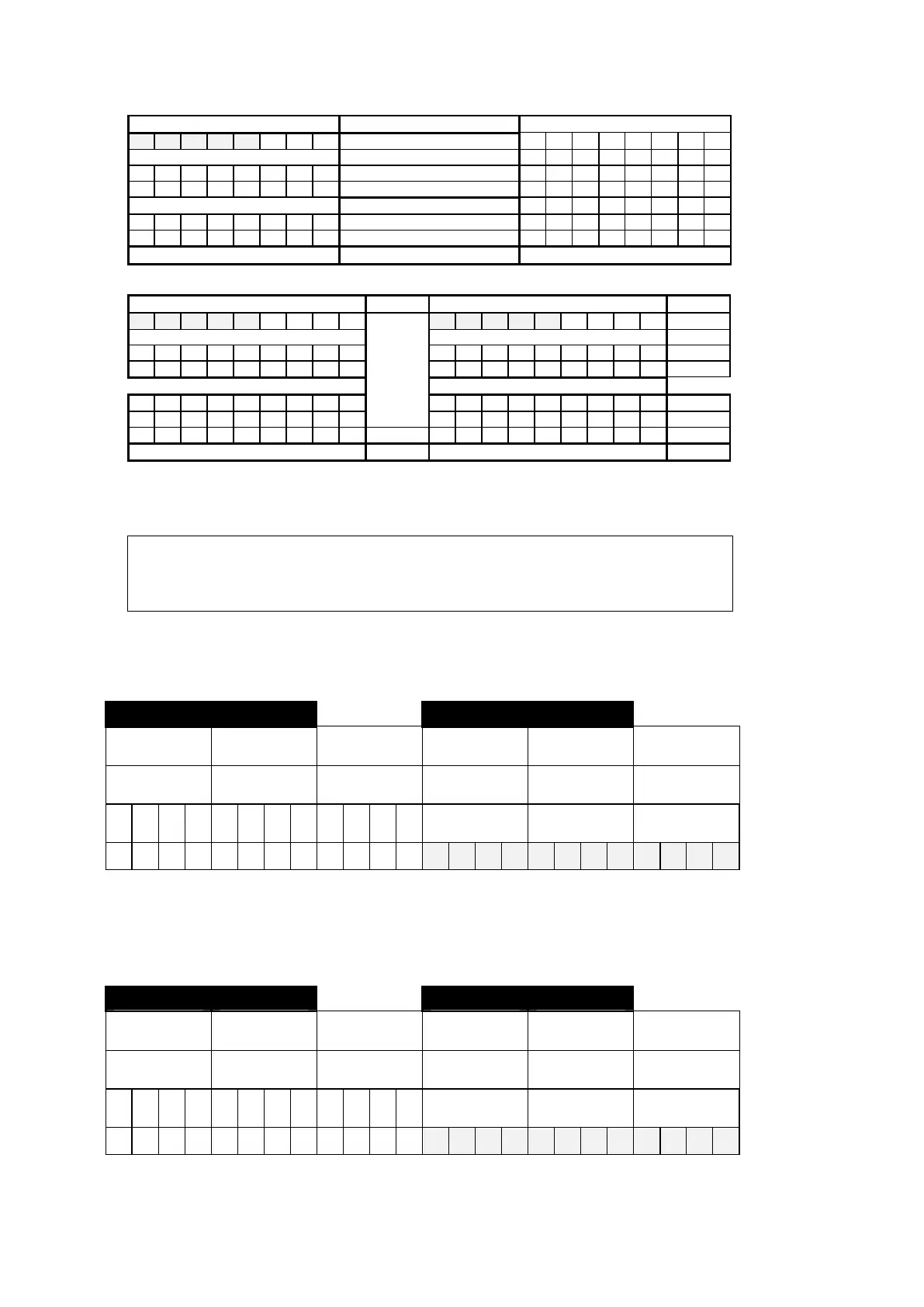
Bypassed Zones Codes - Single Codes Reserved
1 2 3 4 5 6 7 8
Z O N E S
174
176
178
180
182
184
186
188
8 8 8 8 8 8 8 8
CODES
175
177
179
181
183
185
187
189
1 2 3 4 5 6 7 8
CODES
Bypassed Zones - Extended or 2 Digits
Closing (Arming) Codes-Single Digit Opening (Disarming) Codes-Single Digit Single Digit
1 2 3 4 5 6 7 8
USER
1 2 3 4 5 6 7 8 Test
Force
Opening
220
222
224
226
228
230
232
234
236
238
240
242
244
246
248
250
252
254
256
C
C C C
C C C
C A
CODE
B B B
B B B
B B D
221
223
225
227
229
231
233
235
237
239
241
243
245
247
249
251
253
255
257
1 2 3 4 5 6 7 8 9
CODE
1 2 3 4 5 6 7 8 9
Closing Codes - Extended or 2 Digits Opening Codes - Extended or 2 Digits
In order to disable reporting of Closing/Opening, change program at address 072; remove value ’3.’ When SIGNAL TEST is enabled, you can specify
System Status report by programming ‘Armed’ and ‘Disarmed.’ For example ‘A’ (Armed) at 236, and ‘D’ (Disarmed) at 254, ‘9’ is the test signal code. For
System Status report, select extended or 2-digit format.
For programming End-User codes 1 to 8 (Arm/Disarm codes) at installer programming mode,
enter address No. 099; ‘u’ is displayed. Program new codes by first entering the code index
(1,2,3..8). For Force Opening Code (Ambush), the user should enter the Disarming code in reverse
order.
TEL. 2 - SUBSCRIBER ID NUMBER
Note: For subscriber ID that contains a ‘0’ (zero), enter 10 in place of 0. ‘0’ will be displayed as ‘A.’ Do not enter 0 0.
Group 1 Group 2 Group 1 Group 2
Full Program
Full Program
Full Program
EASY Program
EASY Program EASY Program
Alarm / Restore ID
Alarm / Restore ID
Opening /Closing
ID
Alarm / Restore ID
Alarm / Restore ID
Opening /Closing
ID
260
261
262
263
268
269
270
271
276
277
278
279
360
368 376
To program the subscriber ID number more easily (as a sequence of 4 digits), use the EASY Program (available only starting VER 1.04 and up).
Even if your code has only three digits only, you still have to enter 4 digits. The 4th digit can be any digit, and the system will disregard the
4th digit.
TEL. 3 - SUBSCRIBER ID NUMBER
Note: For subscriber ID that contains a ‘0’ (zero), enter 10 in place of 0. ‘0’ will be displayed as ‘A.’ Do not enter 0 0.
Group 1 Group 2 Group 1 Group 2
Full Program
Full Program
Full Program
EASY Program EASY Program EASY Program
Alarm / Restore ID
Alarm / Restore ID
Opening /Closing
ID
Alarm / Restore ID
Alarm / Restore ID
Opening /Closing
ID
264
265
266
267
272
273
274
275
280
281
282
283
364
372 380



 To Next Page