EasyManua.ls Logo

Avantco 178CBE36HC - User Manual

Avantco 178CBE36HC
12 pages
Print Icon
To Next Page IconTo Next Page
Loading...
Commercial Refrigerated
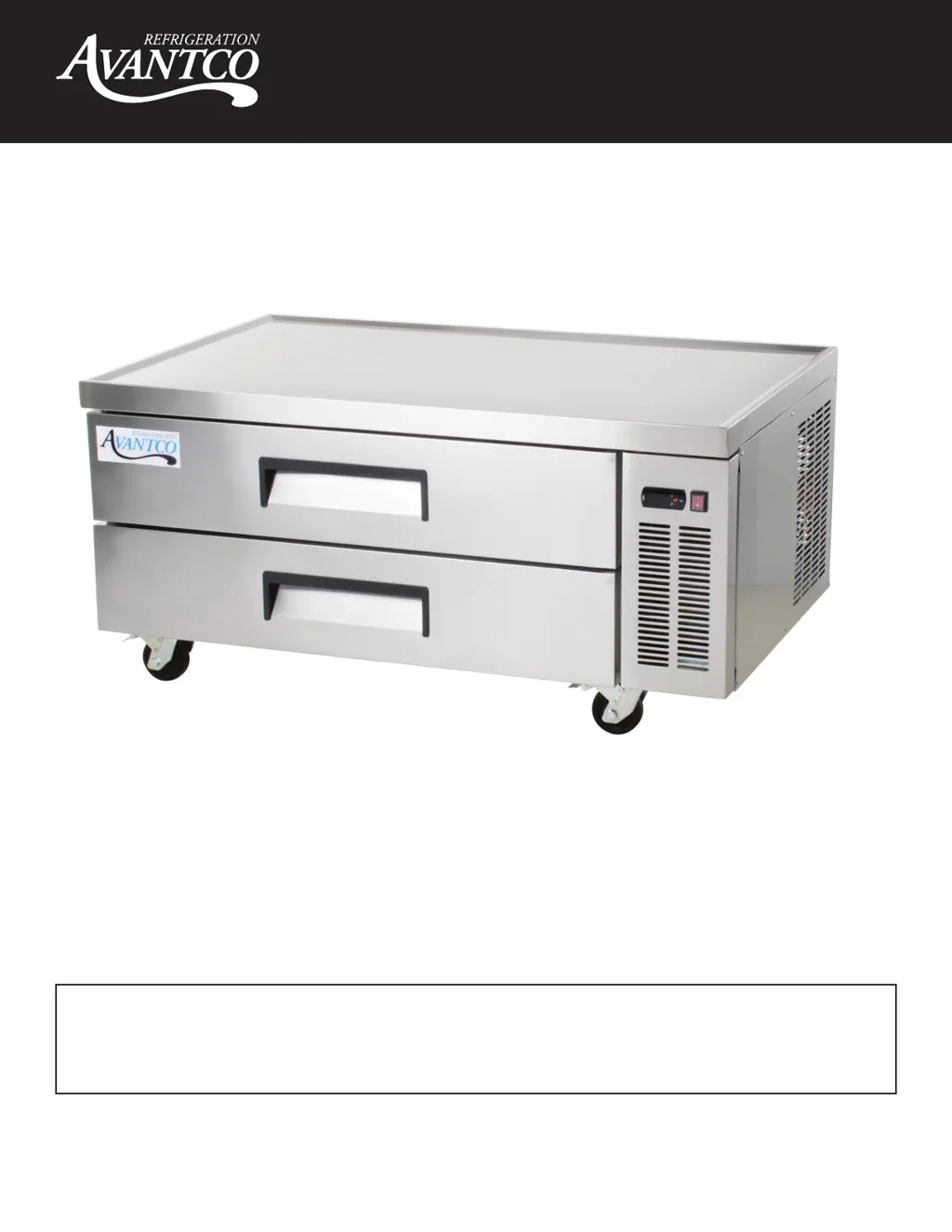
Chef Base Manual
- 1 -
User Manual
Please read the manual thoroughly prior to equipment set-up,
operation and maintenance.
10/2020
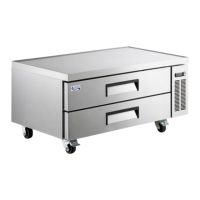
Refrigerated Chef Base Units
178CBE36HC, 178CBE48HC, 178CBE52HC, 178CBE60HC, 178CBE72HC,
178CBE84HC

Other manuals for Avantco 178CBE36HC

Questions and Answers

  • J
    Joseph AshleyAug 2, 2025
    Why is my Avantco 178CBE36HC cabinet temperature too warm?
    • W
      Wesley AyalaAug 2, 2025
      Several factors can cause this. The thermostat might be set too warm, so try setting it to a lower temperature. Blocked airflow can also be the culprit; rearrange the product to allow proper airflow, ensuring at least four inches of clearance from the evaporator. Additionally, putting too much warm product in the cabinet can raise the temperature; allow adequate time for the product to cool down. A blown fuse or tripped circuit breaker could also be the cause; replace the fuse or reset the circuit breaker. A dirty condenser coil can also cause this problem, so clean the condenser coil. Finally, an iced-over evaporator coil might be the reason; ensure drawers are closed when not in use and avoid opening drawers for long periods of time.
  • M
    Mrs. Janet Sosa MDAug 6, 2025
    Why does my Avantco Commercial Food Equipment condensing unit run for long periods of time?
    • F
      Felicia HintonAug 6, 2025
      Several factors can cause this issue. An excessive amount of warm product placed in the cabinet might be the cause; allow adequate time for the product to cool down. Prolonged drawer opening or a drawer left ajar can also lead to this; ensure drawers are closed when not in use and avoid opening them for long periods. Another reason might be drawer gaskets not sealing properly; ensure gaskets are snapped in completely, remove them and wash them with soap and water, and replace them if necessary. A dirty condenser coil can also cause this; clean the condenser coil. Finally, an iced-over evaporator coil could be the problem; unplug the unit and allow the coil to defrost, make sure the thermostat is not set too cold, and ensure that the door gaskets are sealing properly.
  • C
    Cameron RothAug 10, 2025
    What to do if the compressor is not running on my Avantco 178CBE36HC Commercial Food Equipment?
    • M
      Meghan JordanAug 10, 2025
      If the compressor isn't running, start by checking the fuse or circuit breaker; replace the fuse or reset the circuit breaker if needed. Ensure the power cord is properly plugged in. Also, check the thermostat setting; if it's set too high, lower the temperature. Finally, if the cabinet is in defrost cycle, wait for it to finish.
  • B
    brownelaineAug 14, 2025
    What to do if my Avantco 178CBE36HC unit will not turn on?
    • E
      Emily FranklinAug 15, 2025
      If your Avantco commercial food equipment won't turn on, here are a few things to check: * Make sure the unit is properly plugged into a functioning and dedicated outlet. * Inspect the power switch and controller.
  • J
    Jared HickmanAug 19, 2025
    Why is my Avantco Commercial Food Equipment unit not getting to the set temperature?
    • C
      cheryl27Aug 19, 2025
      If your Avantco commercial food equipment isn't reaching the set temperature, consider the following: 1. Ensure the drawers are completely closed. 2. Inspect the drawer gasket for any damage like rips or cuts. 3. Confirm the ambient air temperature is not exceeding 90°F. 4. Check and clean the condenser coil. 5. Verify the set temperature and controller parameters are correct. 6. Look for ice or frost buildup on the evaporator coil. 7. Check the operation of the evaporator and condenser fans, as well as the compressor. 8. Inspect the cabinet temperature sensor and controller.
  • J
    jessica10Aug 23, 2025
    How to fix Avantco Commercial Food Equipment unit not holding set temperature?
    • M
      Mrs. Jessica SloanAug 23, 2025
      If your Avantco commercial food equipment is not maintaining the set temperature, consider these points: * Ensure all drawers are fully closed. * Make sure the condenser and evaporator coils are clean and the evaporator coil is free of ice. * Check the door gasket for any rips or tears. * Verify good air circulation inside the cabinet, ensuring nothing is blocking the evaporator fan. * Confirm the evaporator and condenser fans are working and the compressor is operating correctly. * Ensure the parameters are correct on the controller. * Check the cabinet temperature sensor and controller.
  • A
    Alice GarciaAug 27, 2025
    What to do if water is coming from inside the Avantco 178CBE36HC Commercial Food Equipment cabinet drain/pan?
    • J
      joneschristopherAug 27, 2025
      If you notice water coming from inside the cabinet drain/pan of your Avantco commercial food equipment, you should: * Check that the parameters are correct on the controller. * Inspect the drain pan hose for any clogs. * Check the evaporator fan and motor.

Summary

Avantco Chef Base User Manual

Refrigerated Chef Base Units Overview

Identifies the specific Avantco Refrigerated Chef Base units covered by this manual.

Critical Safety Warnings

Flammable Refrigerant Dangers

Alerts users to the risks of flammable refrigerant and the need for qualified service personnel.

Unit Installation Guide

Before Installation Procedures

Essential steps to take before plugging in the unit for the first time.

Optimal Cabinet Placement

Guidelines for selecting an appropriate location for the unit, considering ventilation and environment.

Electrical Setup Requirements

Specifies voltage, grounding, and outlet needs for safe and proper electrical connection.

Temperature Control Operation

Control Panel Indicator Lights

Explains the function of the Refrigerant, Fan, and Defrost LED indicators.

How to Adjust Temperature Settings

Step-by-step guide for modifying the unit's temperature settings via the digital control.

Operating the Avantco Chef Base

Initiating Manual Defrost

Instructions on how to manually trigger a defrost cycle on the refrigerator unit.

Understanding the Defrost System

Details the automatic defrost process and how frost is managed within the unit.

Configuring Food Pan Layout

Guidance on arranging various sizes of food pans within the chef base drawers.

Chef Base Top Surface Dimensions

Dimensions for All Models

Presents the specific top surface dimensions for each Avantco Chef Base model.

Drawer Layout Diagrams

Drawer Configurations by Model

Visual diagrams showing the different drawer layouts for each chef base model.

User Safety and Warnings

General Unit Safety

Important safety advice covering electrical hazards, handling, and unit usage.

Electrical Cord and Grounding Safety

Guidelines for safe handling of power cords and the necessity of proper grounding.

Key Operational Safety Warnings

Critical warnings against tampering, overloading, and storing hazardous materials within the unit.

Routine Maintenance

Condenser Coil Maintenance

Procedures and recommendations for cleaning the condenser coil to maintain efficiency.

Fan Blades and Motor Cleaning

Instructions for cleaning fan blades and the motor, with precautions against moisture damage.

Interior and Gasket Cleaning

Steps for cleaning the unit's interior, drawer dividers, and maintaining door gaskets for a proper seal.

Troubleshooting Common Issues

Troubleshooting Compressor Issues

Solutions for when the unit's compressor is not running.

Troubleshooting Long Run Times

Addresses causes and fixes for the condensing unit running for extended periods.

Troubleshooting Warm Cabinet

Steps to resolve problems related to the cabinet temperature being too warm.

Avantco Limited Warranty

Warranty Coverage Details

Details the 1, 2, and 3-year parts and labor warranties for various Avantco unit series.

Compressor Warranty & Exclusions

Covers the 5-year compressor warranty and lists items not covered by the warranty.

Warranty Service & Special Use Cases

Obtaining Warranty Service

Information on how to contact customer support for warranty inquiries or service requests.

Outdoor Use Warranty Policy

Clarifies warranty terms for units installed in food trucks or outdoor commercial environments.

Avantco 178CBE36HC Specifications

General IconGeneral
Number of Doors1
Exterior MaterialStainless Steel
Power TypeGas
MaterialStainless Steel
Gas TypeNatural Gas or Propane

Related product manuals