EasyManua.ls Logo

Avantco 178CBE72HC - User Manual

Avantco 178CBE72HC
12 pages
Print Icon
To Next Page IconTo Next Page
Loading...
Commercial Refrigerated
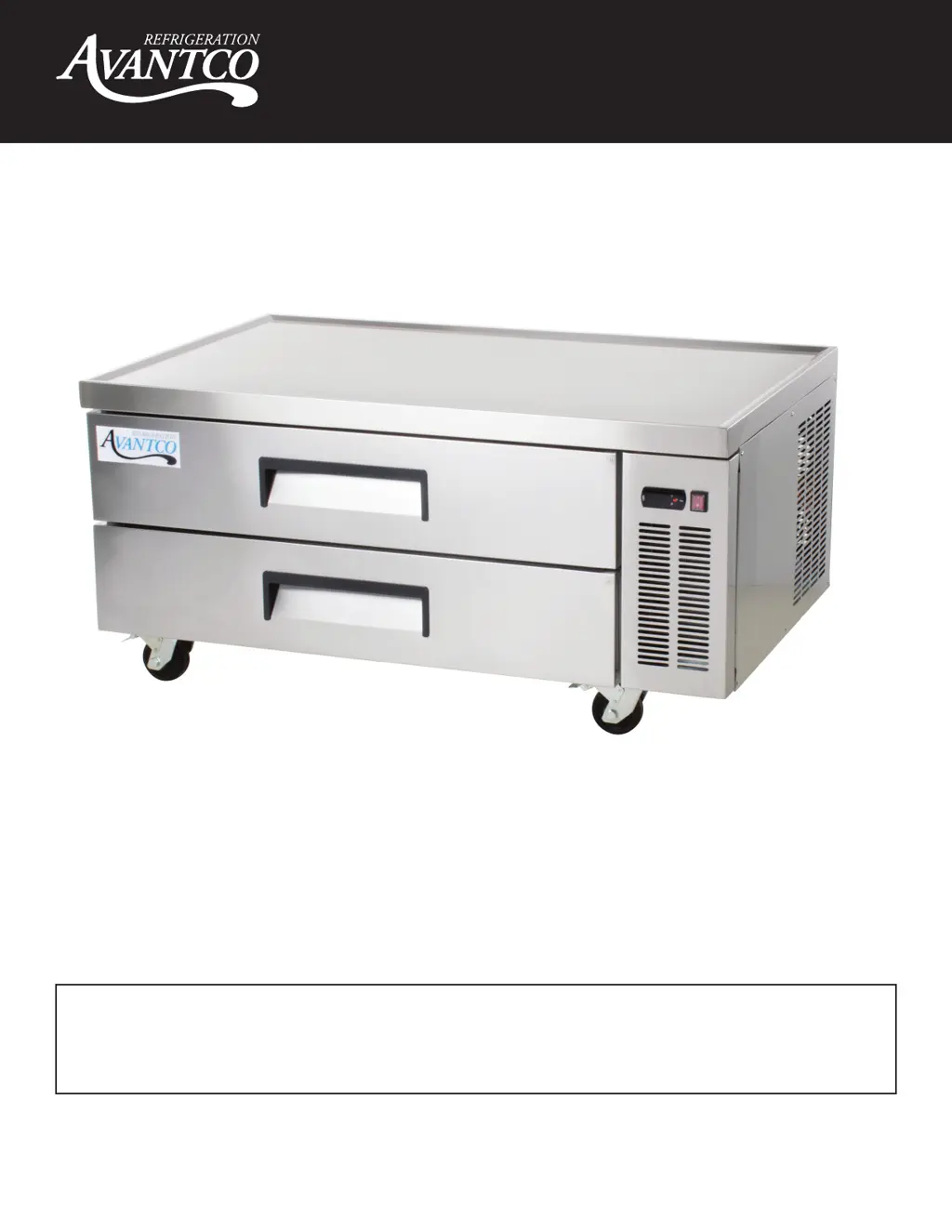
Chef Base Manual
- 1 -
User Manual
Please read the manual thoroughly prior to equipment set-up,
operation and maintenance.
10/2020
Refrigerated Chef Base Units
178CBE36HC, 178CBE48HC, 178CBE52HC, 178CBE60HC, 178CBE72HC,
178CBE84HC

Other manuals for Avantco 178CBE72HC

Questions and Answers

  • B
    bsextonJul 25, 2025
    Why is my Avantco 178CBE72HC Commercial Food Equipment cabinet temperature too warm?
    • A
      Ashley WellsJul 25, 2025
      Several factors can cause this. The thermostat might be set too warm, so try setting it to a lower temperature. Blocked airflow can also be the culprit; rearrange the product to allow proper airflow, ensuring at least four inches of clearance from the evaporator. Additionally, putting too much warm product in the cabinet can raise the temperature; allow adequate time for the product to cool down. A blown fuse or tripped circuit breaker could also be the cause; replace the fuse or reset the circuit breaker. A dirty condenser coil can also cause this problem, so clean the condenser coil. Finally, an iced-over evaporator coil might be the reason; ensure drawers are closed when not in use and avoid opening drawers for long periods of time.
  • K
    kristin79Jul 30, 2025
    Why does my Avantco 178CBE72HC Commercial Food Equipment condensing unit run for long periods of time?
    • V
      Victoria LewisJul 30, 2025
      Several factors can cause this issue. An excessive amount of warm product placed in the cabinet might be the cause; allow adequate time for the product to cool down. Prolonged drawer opening or a drawer left ajar can also lead to this; ensure drawers are closed when not in use and avoid opening them for long periods. Another reason might be drawer gaskets not sealing properly; ensure gaskets are snapped in completely, remove them and wash them with soap and water, and replace them if necessary. A dirty condenser coil can also cause this; clean the condenser coil. Finally, an iced-over evaporator coil could be the problem; unplug the unit and allow the coil to defrost, make sure the thermostat is not set too cold, and ensure that the door gaskets are sealing properly.
  • A
    Alexis ClarkeAug 3, 2025
    What to do if the compressor is not running on my Avantco Commercial Food Equipment?
    • W
      wesley00Aug 3, 2025
      If the compressor isn't running, start by checking the fuse or circuit breaker; replace the fuse or reset the circuit breaker if needed. Ensure the power cord is properly plugged in. Also, check the thermostat setting; if it's set too high, lower the temperature. Finally, if the cabinet is in defrost cycle, wait for it to finish.
  • P
    Paul CortezAug 7, 2025
    What to do if my Avantco 178CBE72HC unit will not turn on?
    • K
      Karen FitzgeraldAug 7, 2025
      If your Avantco commercial food equipment won't turn on, here are a few things to check: * Make sure the unit is properly plugged into a functioning and dedicated outlet. * Inspect the power switch and controller.
  • E
    emily90Aug 11, 2025
    Why is my Avantco 178CBE72HC Commercial Food Equipment unit not getting to the set temperature?
    • M
      Manuel ColemanAug 11, 2025
      If your Avantco commercial food equipment isn't reaching the set temperature, consider the following: 1. Ensure the drawers are completely closed. 2. Inspect the drawer gasket for any damage like rips or cuts. 3. Confirm the ambient air temperature is not exceeding 90°F. 4. Check and clean the condenser coil. 5. Verify the set temperature and controller parameters are correct. 6. Look for ice or frost buildup on the evaporator coil. 7. Check the operation of the evaporator and condenser fans, as well as the compressor. 8. Inspect the cabinet temperature sensor and controller.
  • T
    Tammy WoodsAug 16, 2025
    How to fix Avantco 178CBE72HC Commercial Food Equipment unit not holding set temperature?
    • C
      Chase SanchezAug 16, 2025
      If your Avantco commercial food equipment is not maintaining the set temperature, consider these points: * Ensure all drawers are fully closed. * Make sure the condenser and evaporator coils are clean and the evaporator coil is free of ice. * Check the door gasket for any rips or tears. * Verify good air circulation inside the cabinet, ensuring nothing is blocking the evaporator fan. * Confirm the evaporator and condenser fans are working and the compressor is operating correctly. * Ensure the parameters are correct on the controller. * Check the cabinet temperature sensor and controller.
  • A
    Ashley HopkinsAug 20, 2025
    What to do if water is coming from inside the Avantco Commercial Food Equipment cabinet drain/pan?
    • B
      bjohnsonAug 20, 2025
      If you notice water coming from inside the cabinet drain/pan of your Avantco commercial food equipment, you should: * Check that the parameters are correct on the controller. * Inspect the drain pan hose for any clogs. * Check the evaporator fan and motor.

Summary

Commercial Refrigerated Chef Base Manual

Refrigerated Chef Base Units

Lists specific models of Refrigerated Chef Base Units covered in the manual.

Warning

Flammable Refrigerant Safety

Dangers of flammable refrigerant, emphasizing repairs by trained personnel and avoiding puncturing tubing.

Installation

Pre-Installation Checklist

Crucial pre-installation steps and reading the entire manual before setup.

Cabinet Location Guidelines

Advice on selecting a suitable location for the unit, considering surface, ventilation, and environment.

Electrical Setup Requirements

Guidelines for proper electrical connection, voltage requirements, and outlet usage.

Temperature Controls

Indicator Lights Overview

Explanation of status indicators for Refrigerant LED, Fan LED, and Defrost LED.

Adjusting Operating Temperature

How to adjust the unit's temperature settings and the implications of changes.

Using the Digital Control Unit

Step-by-step guide for using the digital control unit to set temperatures.

Unit Operations

Running a Manual Defrost Cycle

Instructions on initiating a manual defrost cycle for refrigerators using the designated button.

Defrost System Explanation

Explanation of how the refrigerator's defrost system operates to remove frost accumulation.

Loading Food Pans Configuration

Guidance on configuring drawers with various food pan sizes for specific needs.

Technical Specifications

Top Surface Dimensions

Detailed diagrams showing the top surface dimensions for various Avantco Chef Base models.

Unit Configuration

Drawer Configuration Diagrams

Visual representations of drawer configurations for different Avantco Chef Base models.

Safety Precautions

Electrical Safety

Safety precautions to prevent electrical hazards, unit damage, and compressor issues.

Handling and Grounding

Safety advice regarding unplugging the unit, proper grounding, and handling.

General Operational Warnings

Warnings against unauthorized repairs, improper handling, and storing hazardous materials.

Regular Maintenance

Condenser Coil Cleaning

Instructions for cleaning the condenser coil and fins for optimal unit performance.

Fan Blades and Motor Care

Guidance on cleaning the fan blades and motor, with precautions for the motor.

Interior Cleaning Procedures

Procedures for cleaning the unit's interior, including cabinet and drawer gaskets.

Troubleshooting Guide

Compressor Not Running

Common causes and solutions for when the compressor fails to operate.

Extended Condenser Run Time

Reasons why condensing units run excessively and how to address them.

High Cabinet Temperature

Troubleshooting steps for when the cabinet temperature becomes too warm.

Warranty Information

Warranty Periods

Details on 1, 2, 3-year parts/labor, and 5-year compressor warranties for specific series.

Warranty Exclusions

Lists conditions and situations not covered by the Avantco warranty.

Warranty Services and Use Cases

Claim Exclusions and Inquiries

Clarifies exclusions for spoilage, loss of profits, and outlines inquiry procedures.

Service Contact Information

Provides contact information and required details for warranty inquiries and service requests.

Outdoor;Food Truck Warranty

Details the limited warranty for food trucks and commercial outdoor installations.

Avantco 178CBE72HC Specifications

General IconGeneral
Model178CBE72HC
Width72 1/4 Inches
Horsepower1/4 HP
Voltage115 V
Phase1
Installation TypeFreestanding
Temperature Range33 - 40 Degrees F
Hertz60 Hz
Door StyleSolid
Refrigerant TypeR290
Temperature33 - 40°F
FeaturesAdjustable Shelves

Related product manuals