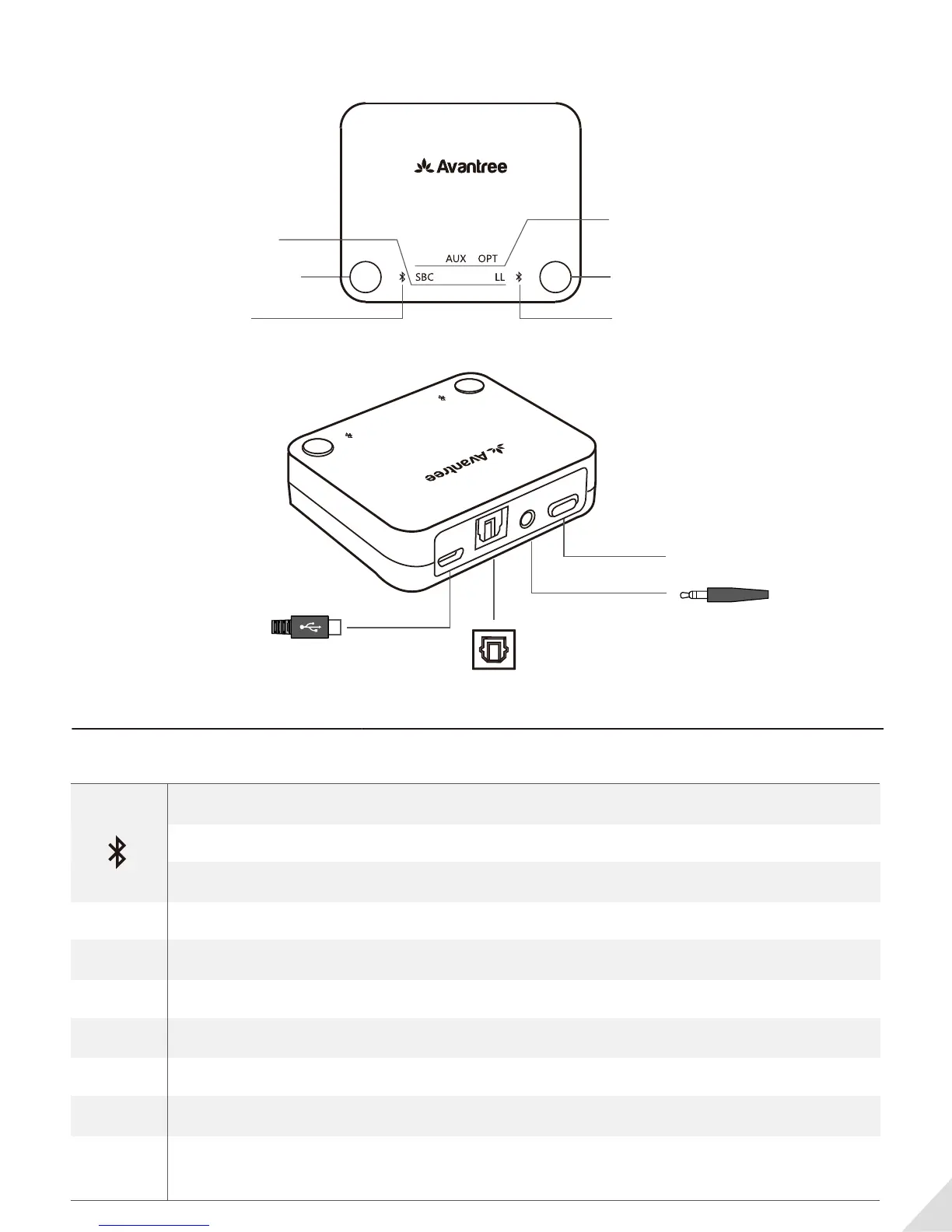
Overview
LED indicators status
1
A for 1
st
headphone
Codec indicators
Bluetooth status
indicator for A
AUX OPT
LLFS LLAPTXSBC
USB
A B
B for 2
nd
headphone
Bluetooth status
indicator for B
Audio input indicators
AUX
A
SBC
FS
APTX
LL
AUX
USB
OPT
B
ON/OFF
DCIN
OPTICAL
ON/OFF
Power on / reconnecting - Flashes BLUE once per 2s
Pairing - Flashes RED and BLUE alternately
Connected - Steady BLUE
Connected using the SBC codecSBC
FS Connected using the FastStream codec
Connected using the aptX codecAPTX
Connected using the aptX Low Latency codecLL
USB input selected(USB power/data cable is plugged in and activated)
AUX input selected (AUX/3.5mm audio cable is plugged in)
Optical input selected (optical audio cable is plugged in and nothing is
plugged into the AUX/3.5mm audio jack)
USB
AUX
OPT



 To Next Page