Overview
LED indicators status
Pair and connect to Bluetooth headphones
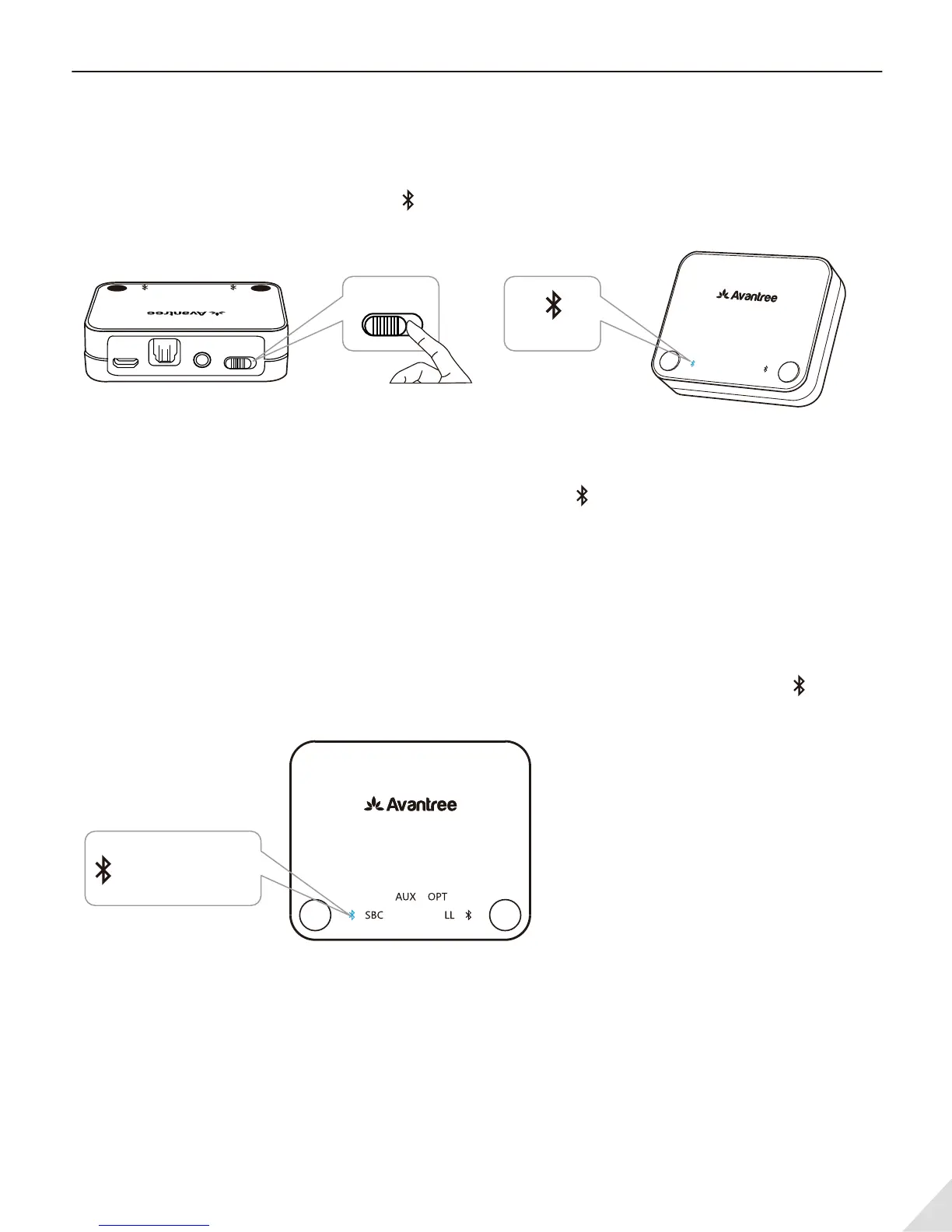
Powering up and turn on the Audikast:
Connect it to a TV USB port (now ensure your TV is turned on) or any other USB charger that supports
5V/500mA-2A using included Micro USB power cable.
Slide on/o switch to “ON” position, then close to A ashes BLUE once per 2 seconds.
Enter the Audikast into PAIRING MODE:
On rst use, the Audikast will enter pairing mode automatically, close to A ashes RED and BLUE
alternately. Otherwise, press and hold A for 1 second to enter into pairing mode.
Enter headphone into PAIRING MODE:
Please refer to relevant user manual (Usually LED on headphone ash Red and Blue alternately or ash
Blue quickly).
Connecting:
During the pairing process, keep the devices close to each other and wait. Once connected, close to
A will turn SOLID BLUE.
2
AUX OPT
LL
FS APTX
SBC
USB
A
B
AUX OPT
LLFS LLAPTXSBC
USB
A B
ON/OFF
DCIN
AUX
ON/OFF
OPTIAL
AUXUSB OPTOPT
LLFSSBC APTX
A B
ashes BLUE
turn SOLID BLUE



 To Next Page