2
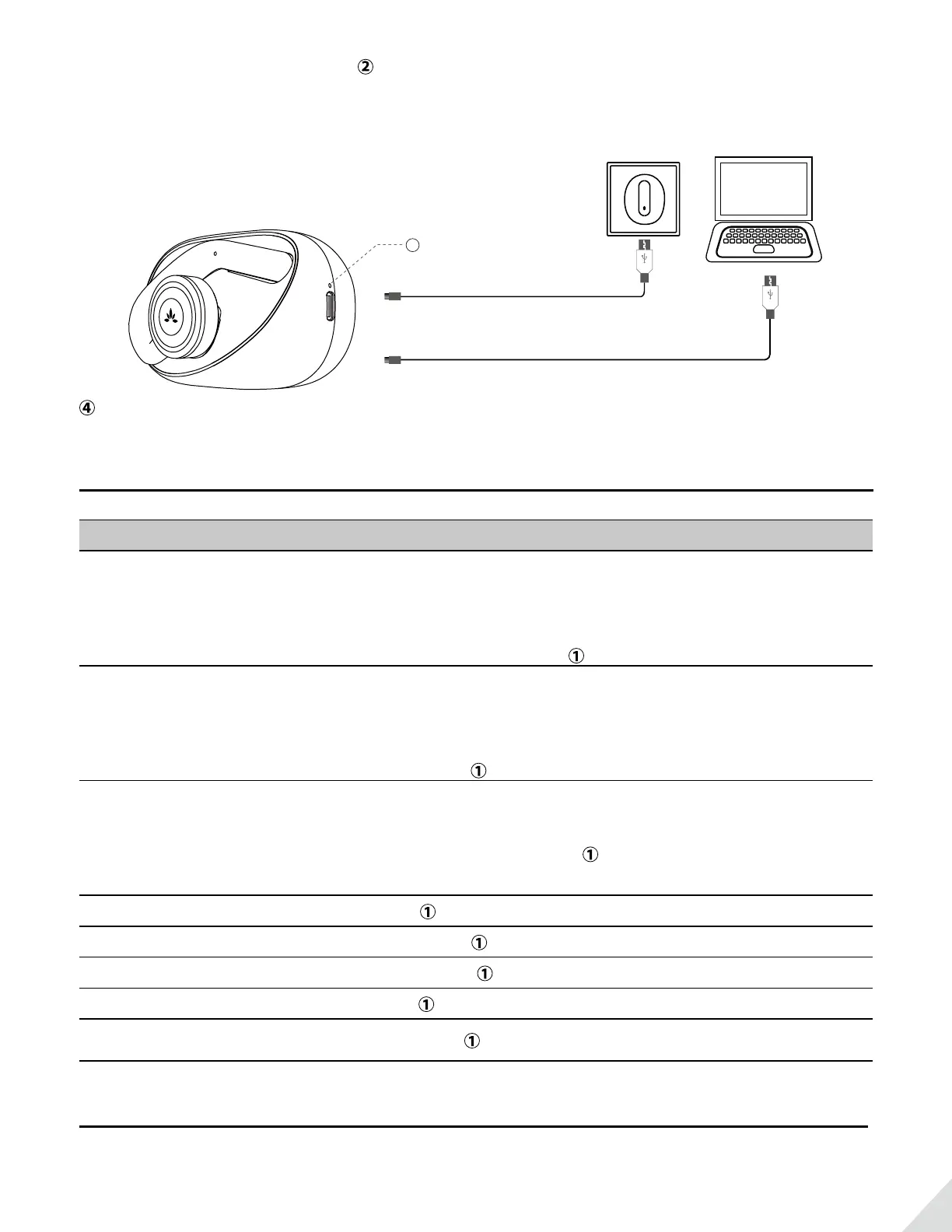
It takes about 2.5 hours to fully charge. will automatically turn o when the charging is complete.
Charging the case
DC 5V / 0.5-2A
OR
Battery indicator of
charging case
4
will turn o automatically when fully charged.
Basic operations
Functions Operations
Power On
Remove earphones from the charging case, they will power on
automatically.
OR
from o status, long press
for about 3 seconds
Power O
Put the earphones back into the charging case and they will power
o and begin charging.
OR
double click
and hold for about 3s until the indicators dim out.
Pairing
Remove earphones from the case.
OR
from o status, press & hold
for about 3s. One earphone will enter
PAIRING MODE with the indicator ashing BLUE & RED.
Play / pause Click
once on either side
Volume up / down Press & hold
on the EITHER earphone
Previous / next track Double-Click
on EITHER earphone
Answer/end a call Click
once on EITHER earphone
Activate Siri / Google Assistant
(Phone dependent)
Triple-Click
on EITHER earphone
LED Indications
Earphones



 To Next Page