4
Notes:
For use with PC, please make sure that you set Avantree TWS116 as the default output and input device. If you’re
not sure how, please see the guides below:
For Windows PC For MacBook
Reconnecting
The earphones will auto-reconnect to your most recently paired device the next time you remove them from
the case. If they don’t, please select “Avantree TWS116” on your device to manually reconnect.
Note: To connect with another device, please turn o Bluetooth on the previously connected device.
How to use with TV
For how to use with TV, please refer to this FAQ:
https://avantree.com/product-support/BTHS-AS90P-BLK-X?k=AS90T#general-headphones-use-with-television
Mono (Single) earbud use
Either side can be used independently by itself.
1. Follow the section above and pair both earbuds to your device rst.
2. Put both earbuds back into the charging case.
3. Take out the earbud you’d like to use, it will automatically reconnect to your device.
How to Factory Reset
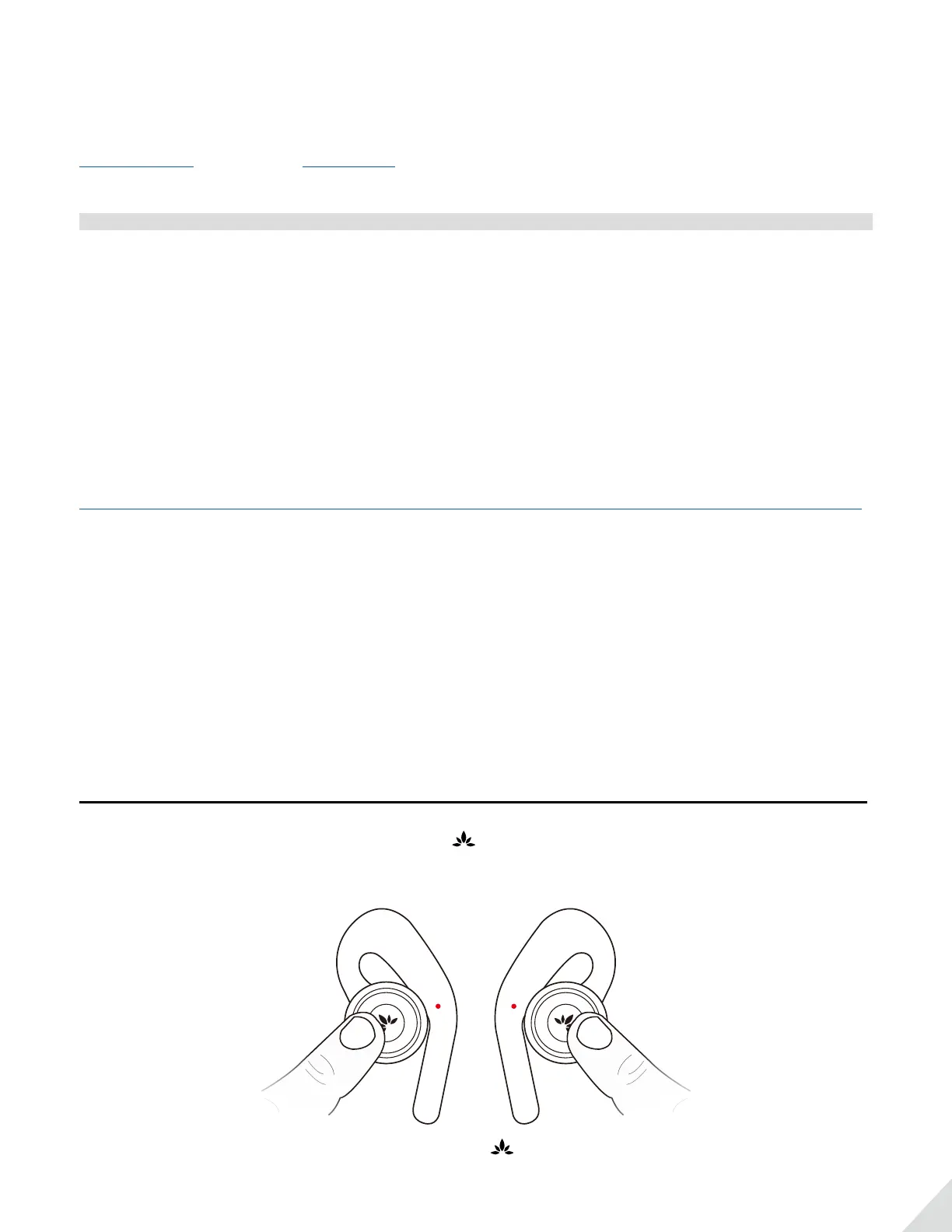
1. Power o both earphones manually - double click and hold for about 3s until the LED lights up RED about
1s, then turns o.
2. Take one of the Earphones (either one), Press & hold for about 10s. DO NOT release until you see the
indicator turns PINK. It’ll power o right after.


 To Next Page