21
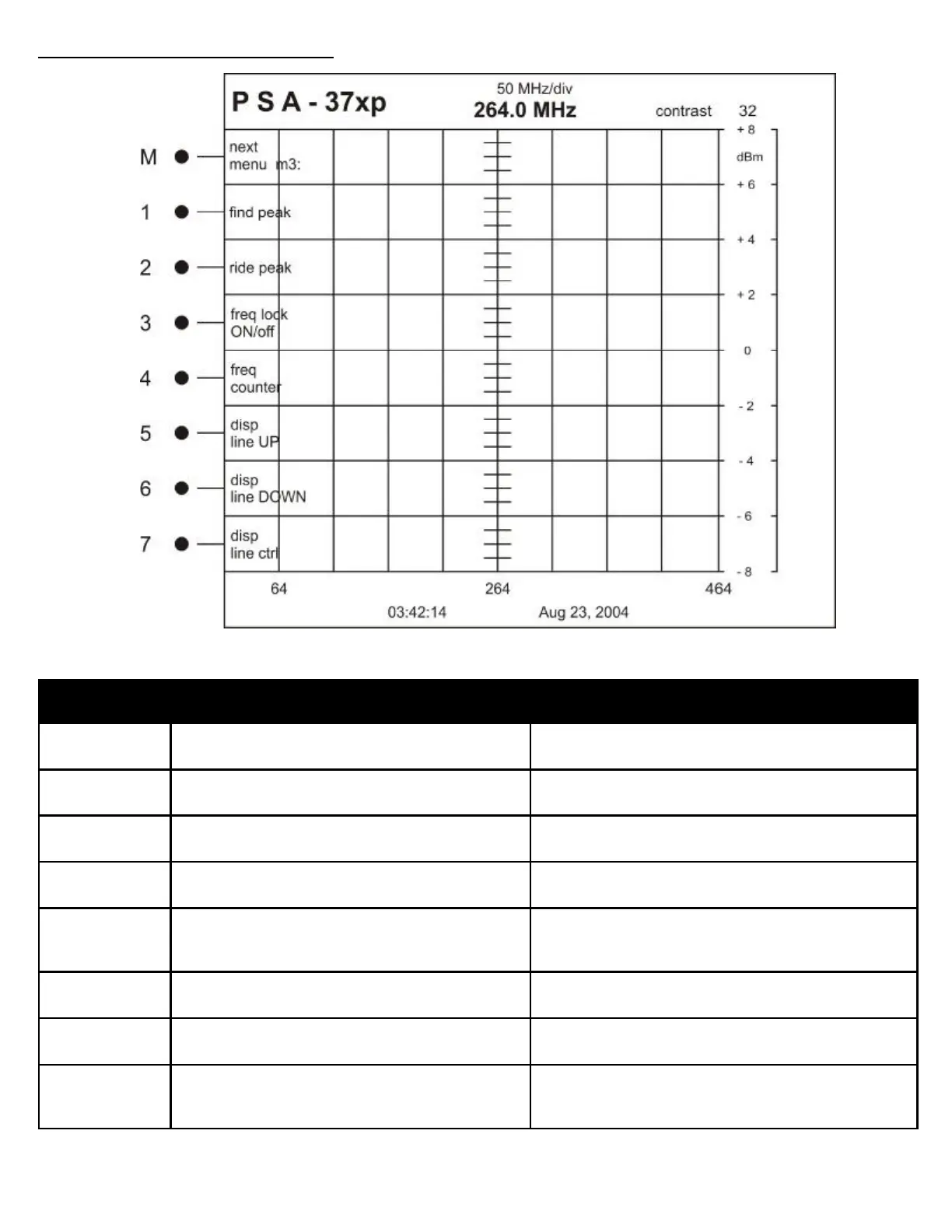
Button Label Description
M next
menu m3:
Changes to menu 4
1 find peak Finds and hold the peak trace in the background of the
screen
2 ride peak Continually finds the peak value and updates the dis-
play to reflect the new trace
3 freq lock
ON/off
Default ON—Gives the user the ability to turn off Fre-
quency Lock for specific applications
4 freq
counter
Toggles Frequency Counter Display On or Off
This affects the Frequency Counter display on the top
and bottom of the analyzer screen
5 disp
line UP
Adjusts the user controlled marker for dB level UP 2dB
6 disp
line DOWN
Adjusts the user controlled marker for dB level DOWN
2dB
7 disp
line ctrl
Display line OFF
Course—Adjusts the display line by 2 dB steps
Fine—Adjusts the display line by 1 dB steps
MENU STRUCTURE REFERENCE
OPERATION MENU: 3



 To Next Page