11
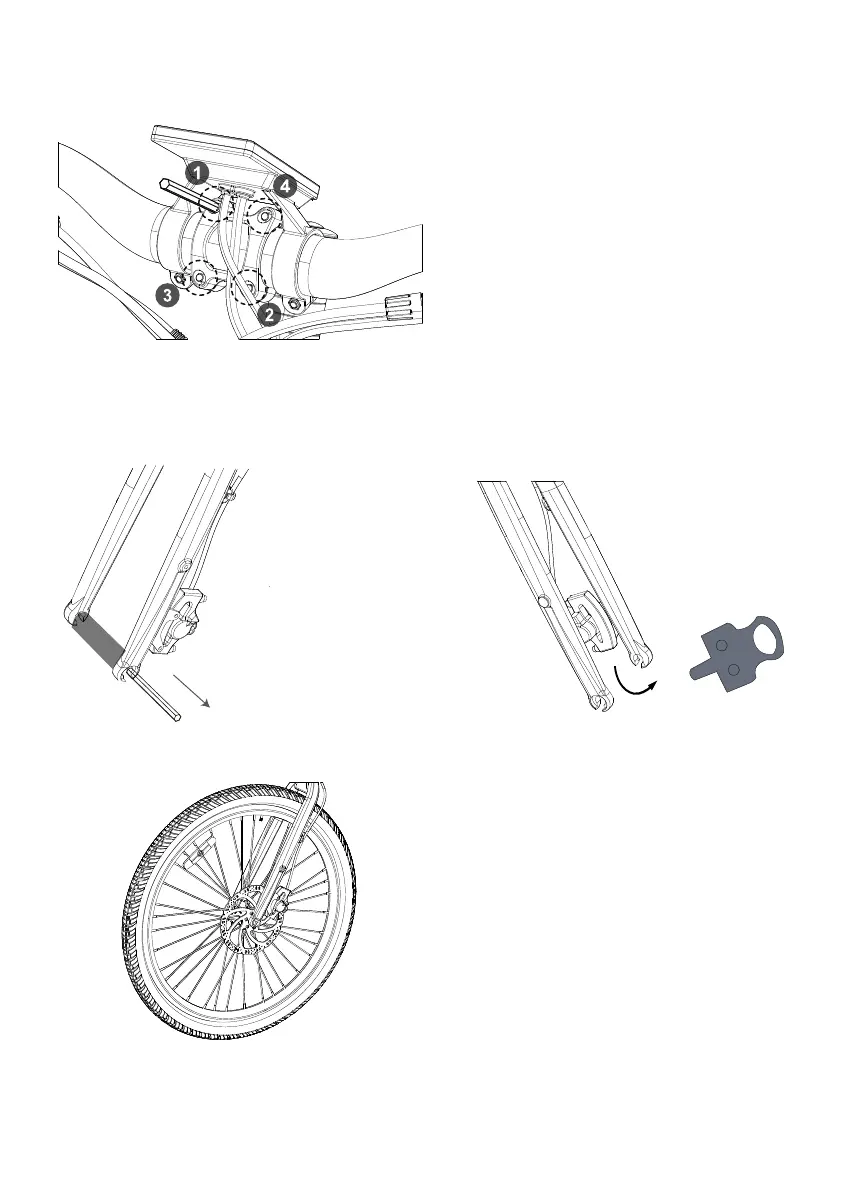
Step 6: Place the handlebar on the stem correctly. Center the handlebar and screw in the four stem
faceplate bolts evenly, however do not tighten all the way down for further adjustment.
C.Carefully install the front wheel and make sure the brake rotor sits in between the braking pads in the
brake caliper; the flat washer on the axle should sit outside the fork dropout.
Step 7: Install the front wheel.
A.Remove the plastic insert from the fork dropout.
B.Remove the plastic insert card from the front
brake caliper.
Caution:
Never touch the brake rotor, especially when the wheel and/or bike is in motion, or serious injury could occur.
Hand oils can cause squeaking and decrease brake performance


 To Next Page