15
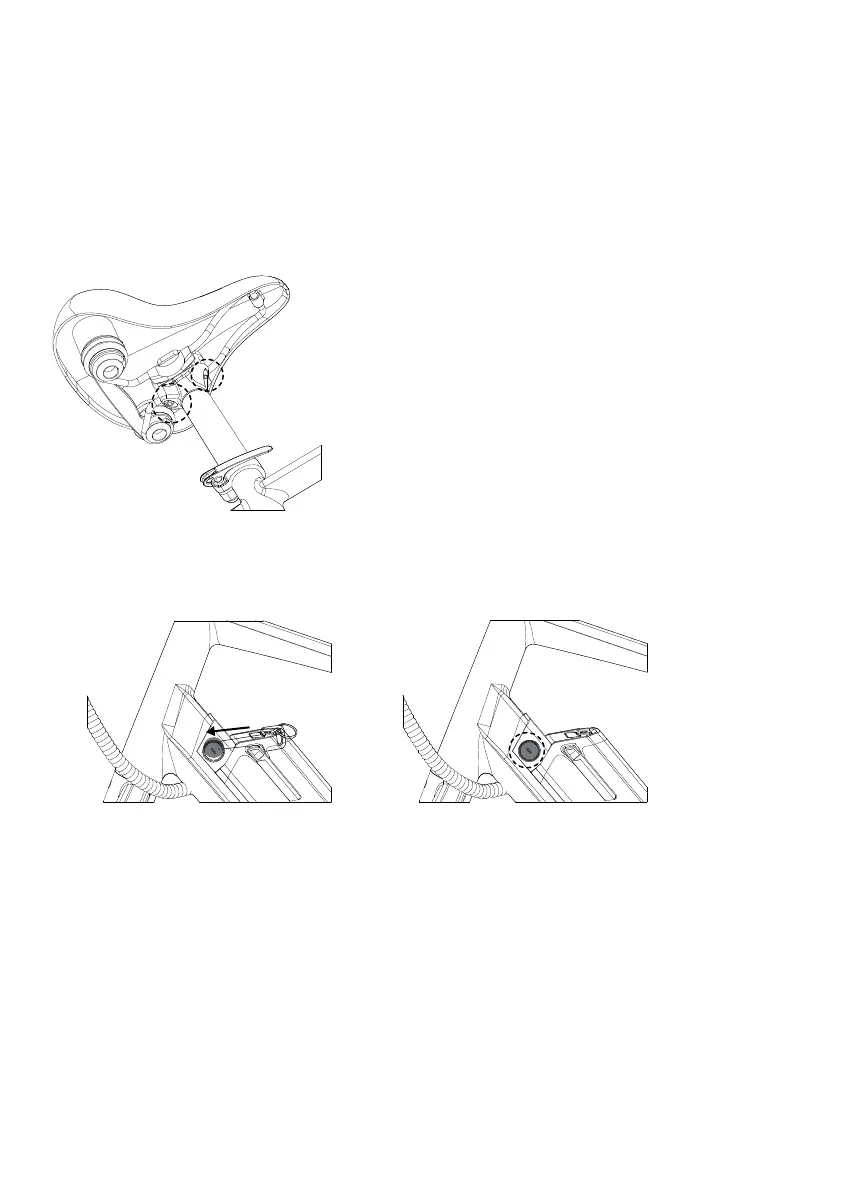
Step 16: Adjusting the seat position and angle
To change the angle and horizontal position of the seat:
Step 17: Check if the key and battery lock are with same serial no. .
B.Move the seat backward or forward and tilt to adjust the angle. The seat position horizontal to flat ground is desirable for
most riders. Do not exceed the limit markings on the seat rail, which show the minimum and maximum horizontal movement
allowed.
C.While holding the seat in the desired position, use a 5mm allen key to tighten the seat angle adjustment bolt securely to
the recommended torque value(8Nm).
A.Use a 5mm Allen wrench to loosen the seat adjustment bolt on the clamp positioned directly underneath the seat,
above the rear wheel. Do not completely remove the bolts.
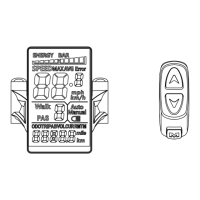
Step 18: Check battery and display.
On the battery press the power button, 3 LED lights will light on, and then 1 LED light.
Press and hold the "M" button on the display unit to turn on the display.



 To Next Page