20
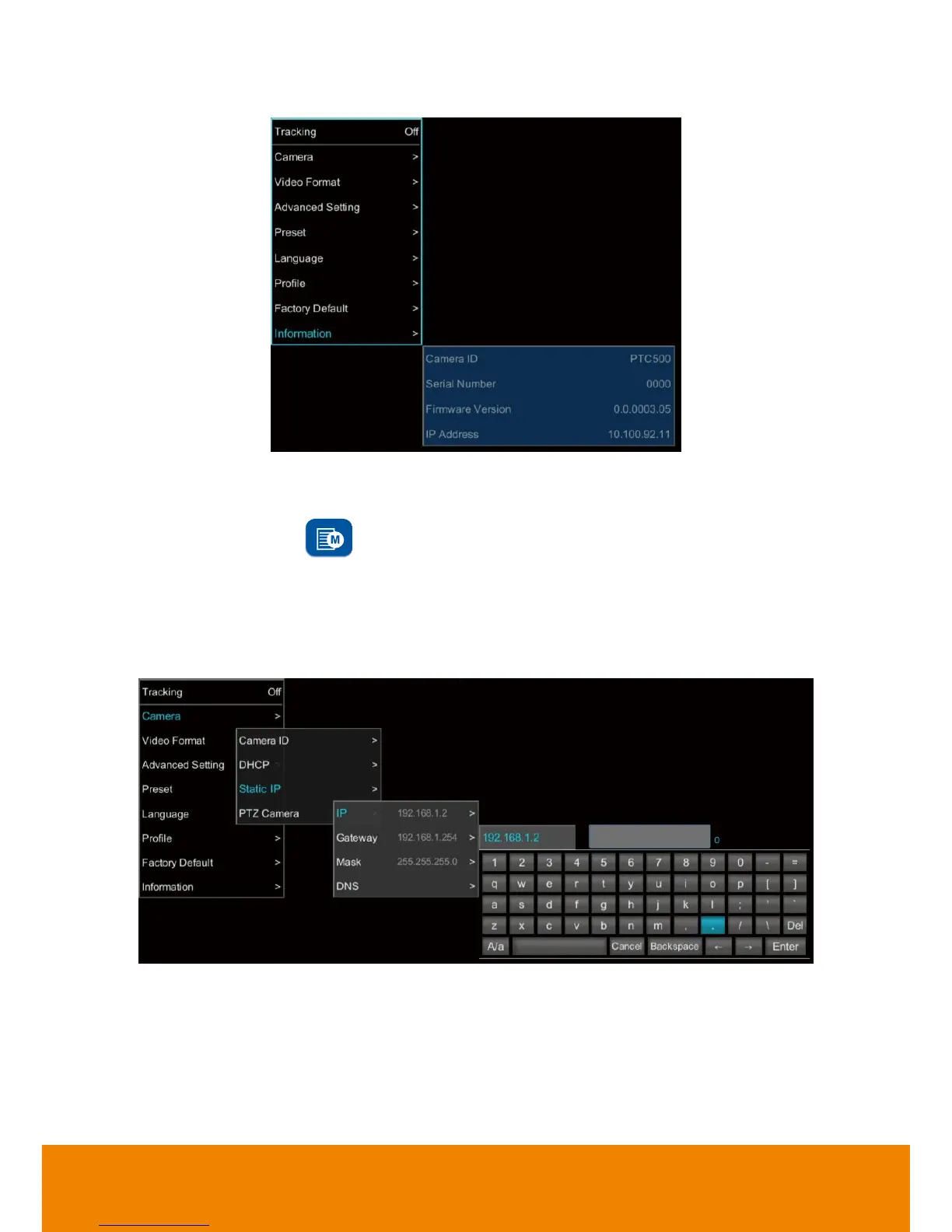
3. Use
▲
and
▼
buttons go to “
Information
” to check the IP address information.
Static IP Address
Assign a fix IP address for PTC500.
1. After starting-up, press button on remote control to call out OSD menu.
2. Turn the DHCP off first. Go to
Camera
>
DHCP
>
DHCP
>
Off
then press
or enter button to
confirm the selection. The menu selection will switch to “
Static IP
” when DHCP off is applied.
3. Use
▲
,
▼
, Enter button, and on-screen keyboard to setup the “
IP
”, “
Gateway
”, “
Mask
” and
“
DNS
”.



 To Next Page