19
USING PTC500 via AcuControl
Before You Begin
Make sure all connections are connected successfully before using the PTC500. Connections error will
cause no image showing or no reaction. (For more information, please refer to INSTALLATION
chapter.)
For the First Time Use
Setup IP Address
Setup IP address of PTC500 for a connection with iPad.
There are two ways to setup IP address of PTC500. Please follow the steps below to setup the IP
address.
Dynamic IP Address(DHCP)
Get IP address from your local DHCP server.
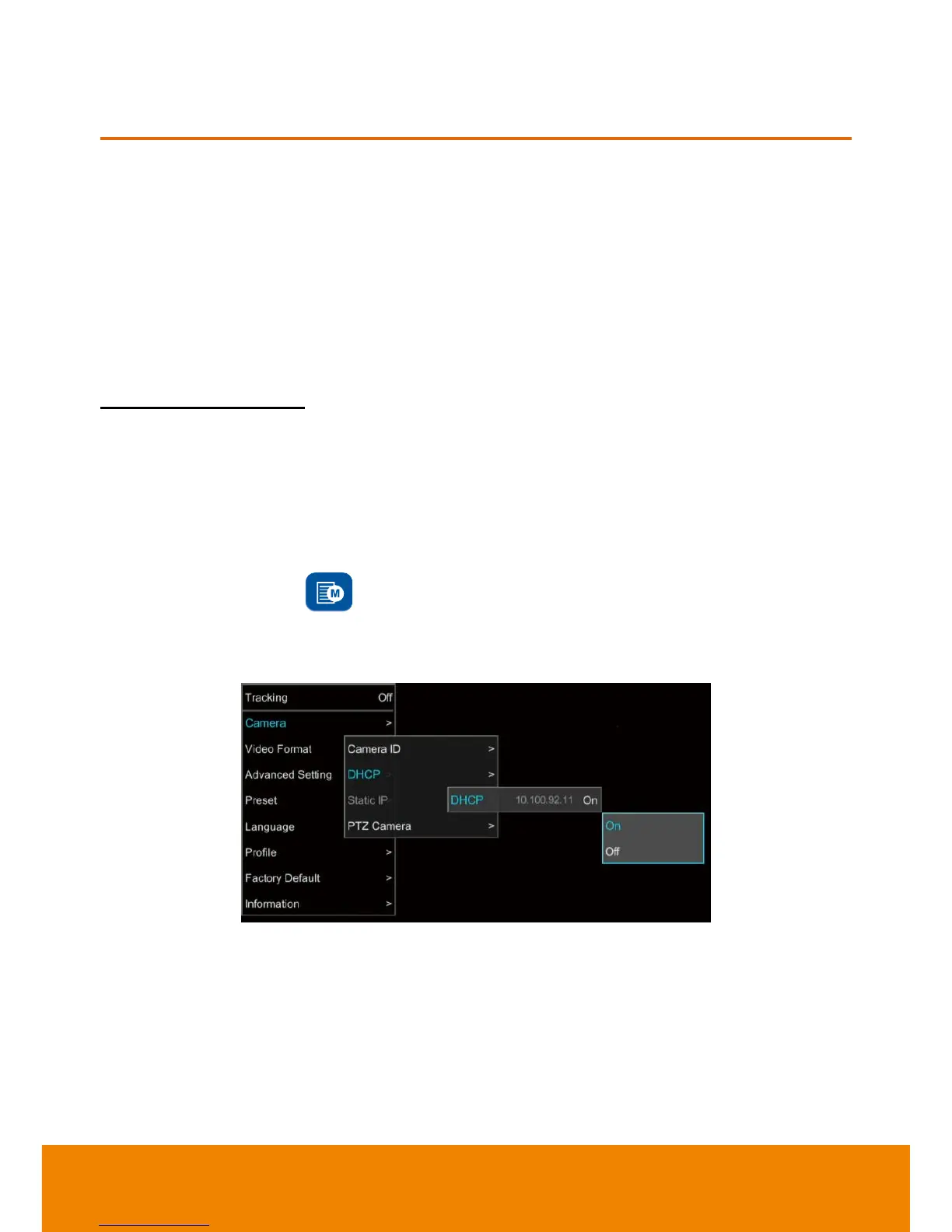
1. After starting-up, press button on remote control to call out OSD menu.
2. Use
▲
and
▼
buttons to select the
Camera
>
DHCP
>
DHCP
>
On
, then press
or enter button
to get IP address from local DHCP server.



 To Next Page