41
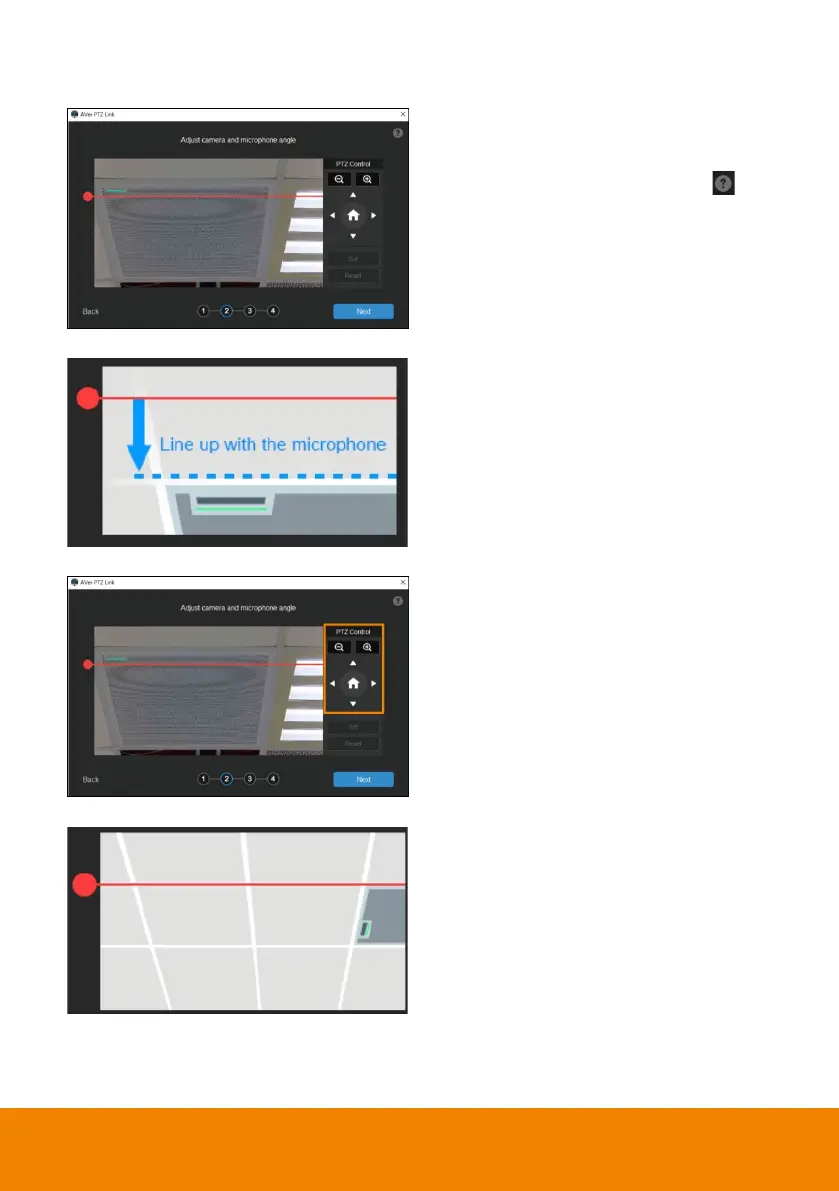
5. Align the red line with the top or
bottom edge of the microphone by
dragging the red dot.
Click the question mark for
reference.
6. Adjust the camera angle using
pan, tilt and zoom controls, if the
microphone appears at a slight
angle.
Zoom controls here are for
alignment only and don’t affect
the zoom ratio of the camera.
The microphone doesn’t need
to be in the center of the live
view, as long as the red line is
aligned with the edge.
7. Click
Next
.



 To Next Page