42
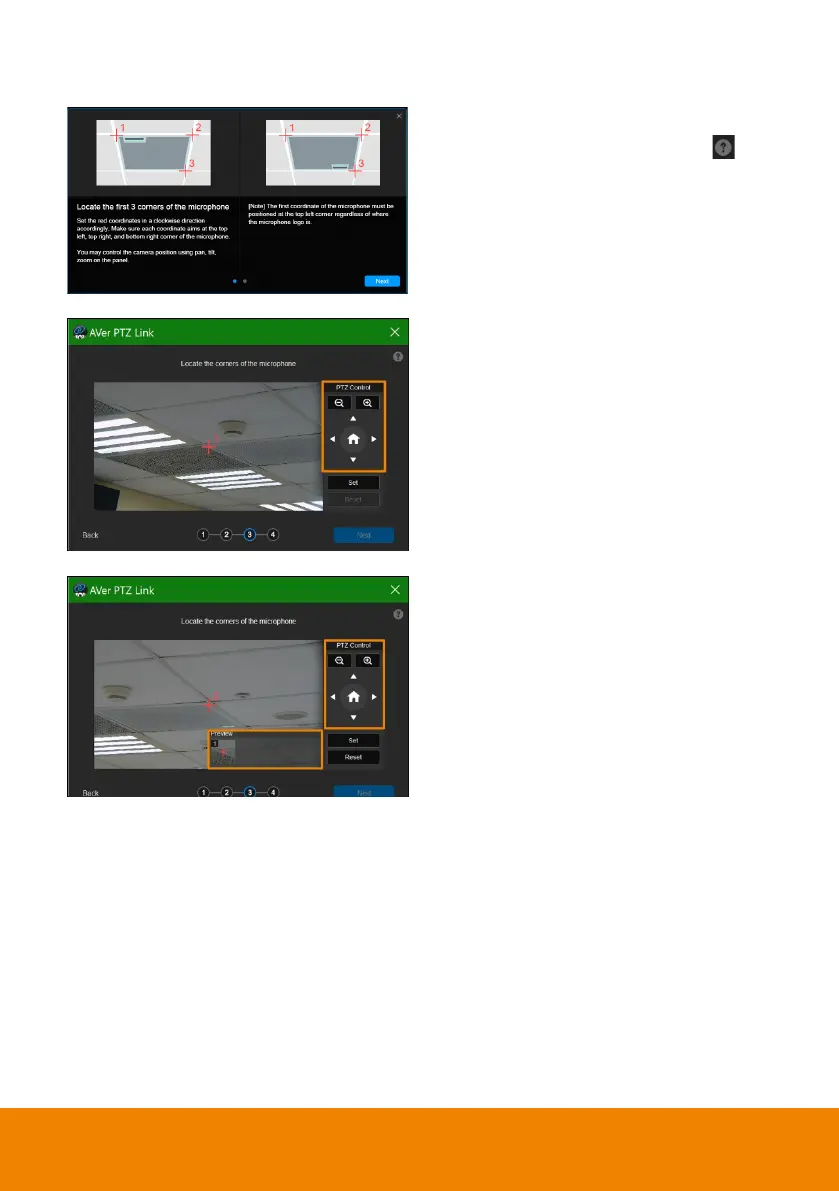
8. Starting with the upper left, locate
3 microphone corners in a
clockwise direction.
Click the question mark for
reference.
9. Move the red cross to the 1
st
corner (upper left) in the live view
using pan, tilt and zoom controls.
10. Click
Set
. The saved location will
appear in the thumbnail.
11. Repeat the steps to location the
2
nd
(upper right) and 3
rd
corners
(lower right).



 To Next Page