User’s Manual
ENG-9
English Deutsch Français Español Português Nederlands Ελληνική
On Screen Display Usage
CH FINE TUNE
If the TV reception is not clear, choose CH FINE TUNE then press
Vol◄ and Vol► buttons until the TV picture becomes clear.
33
33
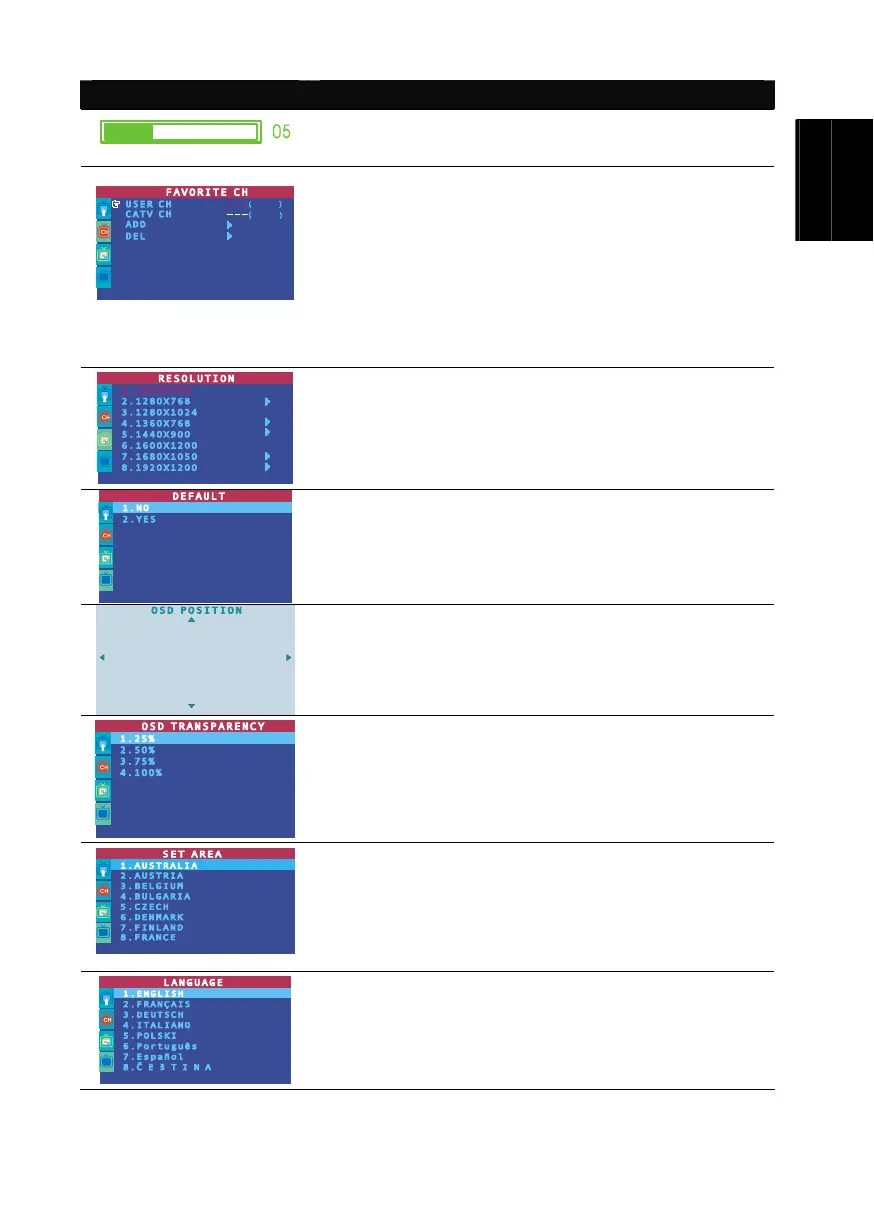
FAVORITE CH
This function enables you to add, remove, reprogram or reassign the TV
channels with channel numbers that are easier to remember.
In the selected USER CH, enter the new channel number you want to assign
or the channel number you want to remove/add to the channel line up. Then, in
the CATV CH or TV CH, enter the channel number you want to remap or the
channel number you want to remove/add.
Use the CH▲ or CH▼ buttons to select ADD to include or DEL to remove
the channel number in the channel line up and then press Vol ►.
Note: To browse through channels while setting the User CH and CATV
number, press the CH▲ or CH▼ buttons.
RESOLUTION
Use the CH▲ or CH▼ buttons to choose from display resolution
settings then press Vol►/OK.
Under wide screen (16:9/16:10) mode, you can choose to view in 4:3 or
PANORAMA mode. Press Vol► to enter the sub menu.
DEFAULT
Use the CH▲ or CH▼ buttons to select “YES” to clear all the preset
channels and to restore the original factory default picture setting or “NO”
to exit. Then press Vol►/OK.
OSD POSITION
Use the CH▲, CH▼, Vol◄, and Vol► buttons to move the frame
where you want to set the position of the MENU, then press MENU.
OSD TRANSPARENCY
Use the CH▲ or CH▼ buttons to choose from OSD transparency
settings then press Vol►/OK.
SET AREA
Press the MENU button, select MORE, select SET AREA in the
MORE, list items, use the CH▲ or CH▼ buttons to choose the
appropriate country signal, then press Vol►/OK button to make the
selection.
If your country is not listed, choose another country with the same TV
system as yours.
LANGUAGE
Use the CH▲ or CH▼ buttons to select from different languages then
press Vol►/OK.


 To Next Page
 Loading...