User’s Manual
ENG-7
English Deutsch Français Español Português Nederlands Ελληνική
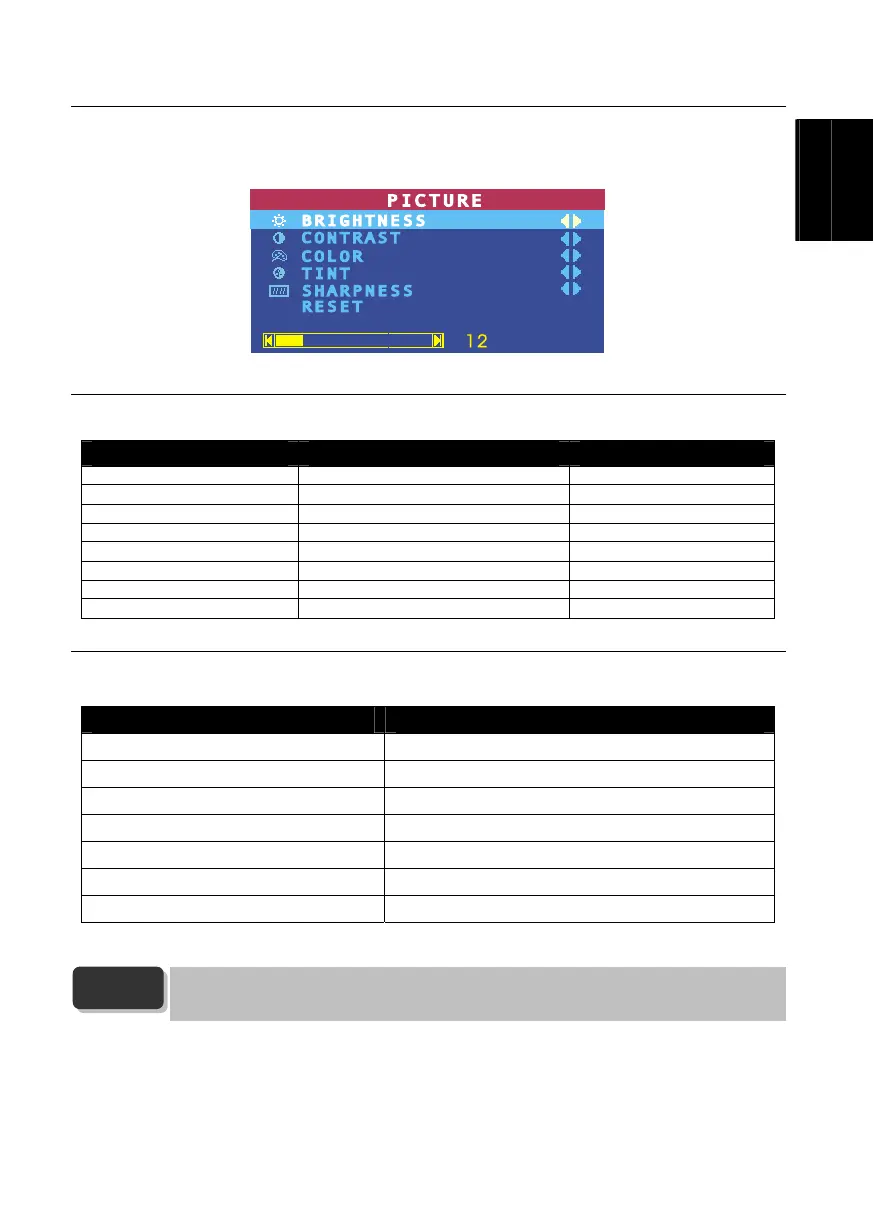
3.4 Customizing the Picture Setting
If you want to adjust the picture quality, press the PICTURE button on the remote. Then, you can use the CH▲ or
CH▼ buttons to select the items in the PICTURE menu; and the Vol◄ or Vol ► buttons to make the adjustment.
To restore the picture default setting, select RESET and then press Vol ►.
3.5 Supported Display Setting
The reference table below lists the monitor display resolution and refresh rate settings that AVerTV BoxW7 Plus /
AVerTV BoxW9 Plus supports.
Resolution 4:3 and PANORAMA support Refresh Rate (Hz)
1024x768 60
1280x768 O 60
1280x1024 60
1360x768 O 60
1440x900 O 60
1600x1200 60
1680x1050 O 60
1920x1200 O 60
3.6 Supported Display Setting in PIP Mode
The reference table below lists the monitor display resolution and refresh rate settings that AVerTV
BoxW7 Plus / AVerTV BoxW9 Plus
supports when viewing in PIP mode:
Resolution Refresh Rate (Hz)
1024 x 768 60, 70, 75
1280 x 768 60, 75
1280 x 1024 60, 75
1440 x 900 60, 75
1360 x 768 60
1680 x 1050 60
1600 x1200 60
YPbPr (Only AVerTV BoxW9 Plus supports this function):
SDTV: 480i, 576i
HDTV: 480p@60Hz, 576p@50Hz, 720p@60Hz, 1080i@60Hz.
NOTE



 To Next Page