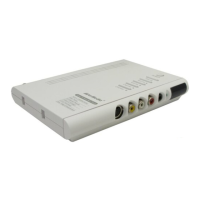
AVerMedia AVerTV BoxW7 Plus / AVerMedia AVerTV BoxW9 Plus
ENG-6
9.PIP
Switch between PIP*, PIP See-thru** and Full Screen mode
* To watch TV/Video in a small screen on an always on top of the PC display.
** Make the small video screen semi-transparent allowing the image behind the
small screen show through.
10.MTS/ STEREO
(option)
If the channel offers multi-language feature, press this button to toggle between
languages.
*Only AVerTV BoxW9 Plus supports this function.
11.PICTURE
To adjust brightness, contrast, color, tint or sharpness
12.PC BGM/ Res.
- Switch the audio source from the AVerTV BoxW7 Plus/AVerTV BoxW9 Plus
when in PC display mode
- Switch display resolution setting to 1024x768 when in TV/Video mode
13.SOURCE
Switch between TV or external video sources
14.MUTE
To turn off /on the sound
15.PREVIEW
Display 13 consecutive TV channels on-screen
16.CH▲/▼
- Go to the next or pre-vious TV channel line up
- Use these buttons to make the selection in the menu or picture setting
- In adjusting the OSD position, use these buttons to move the menu display up
and down of the screen
17.SLEEP
To automatically turn off the unit after 30, 60, 90, 120 or 150 minutes.
18.TELETEXT
(option)
Press to view teletext
* Teletext buttons only present in European model.
** Only AVerTV BoxW9 Plus supports this function.
19.PIP SIZE
Set the PIP window size to 1/4, 1/9, or 1/16 of the screen when in PIP mode..
20.4:3/16:10
Press to switch among various display aspect ratios (「4:3」 or
「PANORAMA」)
21.AV/PC
To toggle between TV/ Video or PC display
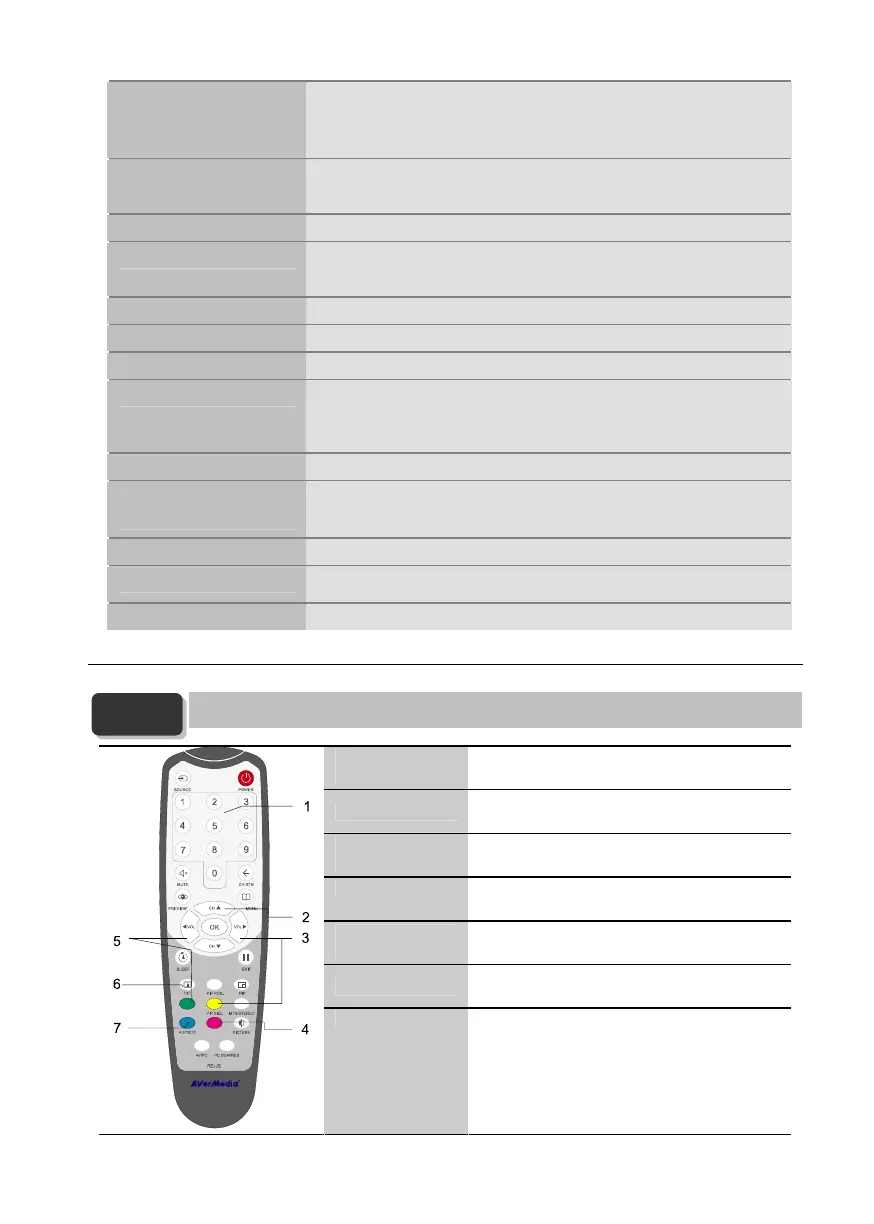
3.3 Teletext Control Buttons (Optional)
The figure and descriptions in this section show how to use the teletext function using the remote control.
1. Only AVerTV BoxW9 Plus supports this function.
2. This function is not supported in China and Hong Kong.
1.NUMBER
BUTTONS
To select a teletext page.
2.CH▲/▼
Use the CH▲ and CH▼ buttons to go to the next
upper or lower teletext page.
3.FASTEXT LINK /
VOL►
Jump to the teletext page which the yellow color
corresponds to.
4.FASTEXT LINK Jump to the teletext page which the red color
corresponds to.
5.FASTEXT LINK /
VOL ◄
Jump to the teletext page which the green color
corresponds to.
6.TELETEXT
Press to view teletext, and disable teletext.
7.FASTEXT LINK Jump to the teletext page which the blue color
corresponds to.
NOTE


 To Next Page
 Loading...