05/08 Rev. AB OPERATOR’S HANDBOOK Getting Started
9844/9854
1-16
Configuring the
Dispenser
Position
• Application A:
The label is dispensed (peeled) so that a small portion still sticks to the
backing paper above the dispensing edge. After the dispensed label is
removed, the next label is immediately printed and dispensed.
« Set DISPENSER PARA > Dispenseposition to –6.0 mm (set to –8.0 mm if the
material is very adhesive).
« Set DISPENSER PARA > Start Source to Light barrier.
• Application B:
The printing and dispensing of the label is controlled by the optional foot
switch.
« Set SYSTEM PARAMETER > External Signal to Stacker full.
« Set DISPENSER PARA > Dispenseposition to –6.0 mm (set to –8.0 mm if the
material is very adhesive).
« Set DISPENSER PARA > Start Source to Foot switch.
Label length
< 40 mm
¯ If using very short labels (< 40 mm) set PRINT PARAMETERS > Material length
< 40 mm (1.6 inches). The printer automatically initializes the material, which
improves the impression accuracy of the printout.
P Refer to the “Info-Printouts and Parameters” section on your CD-ROM for
more information on parameter DISPENSER PARA > Calibration mode.
Offline Operation
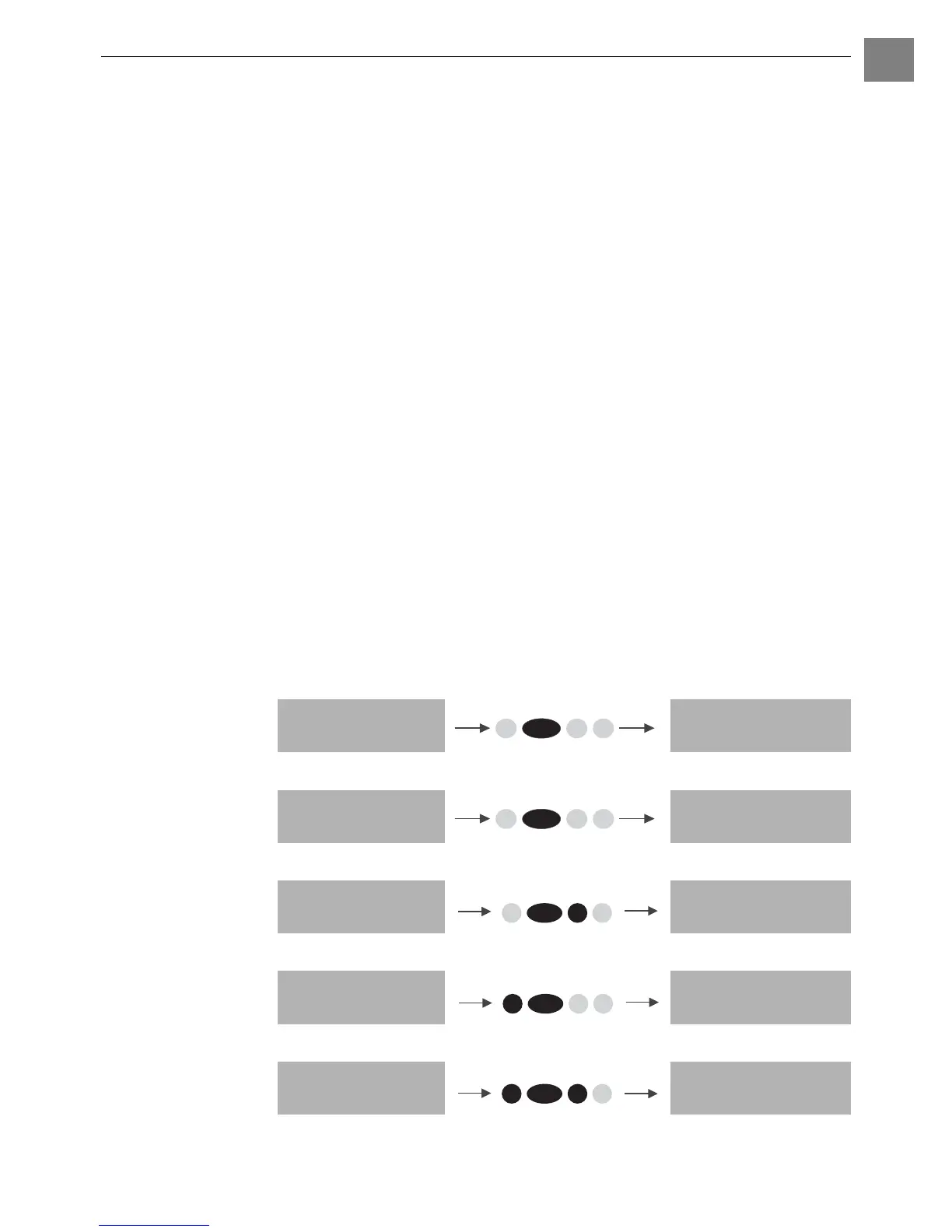
Press the buttons indicated in black to perform the listed functions.
• Switching from offline mode to online mode:
• Switch to online mode when the print job is stopped:
• Slow material and ribbon feed:
• Material travels backwards under the printhead:
• Reset:
OFFLINE x JOBS ONLINE x JOBS
OFFLINE x JOBS
Stopped xx
ONLINE x JOBS
Stopped xx
OFFLINE x JOBS OFFLINE x JOBS
feeding…
OFFLINE x JOBS OFFLINE x JOBS
feeding…
OFFLINE x JOBS OFFLINE x JOBS
Online
Online
Feed
Online
Cut Online
Cut Online
Feed













 To Next Page