05/08 Rev. AB OPERATOR’S HANDBOOK Care & Maintenance
9844/9854
3-6
Cleaning the Punch
(Die Cut) Sensor
During printing, the punch sensor can
become contaminated with lint and unable
to sense material.
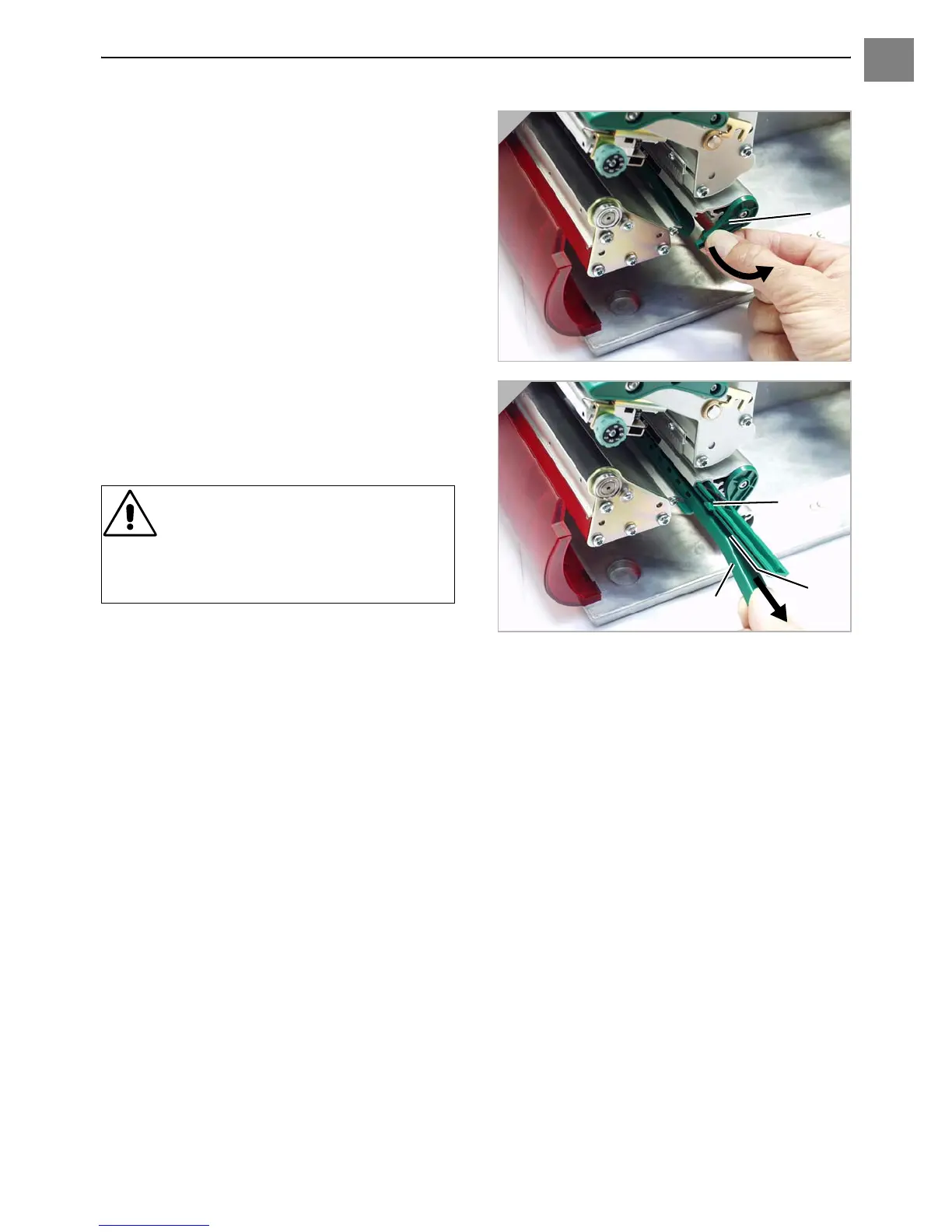
1. Remove the cover (1) gently and swivel
downwards (Fig. 1).
2. Remove the sensor arm (2) (Fig. 2).
3. Clean the opening (3) with compressed
air.
¯ The transmission sensor is located in
the upper and the lower part of the sensor
arm on a level with the indicator (4). You
can find the reflex sensor about 5 mm
further below.
CAUTION! - The sensor surface is
very sensitive to scratches!
« Do not use sharp objects or
solvents when cleaning the
sensors.
1
2













 To Next Page