05/08 Rev. AB OPERATOR’S HANDBOOK Setup
9844/9854
2-12
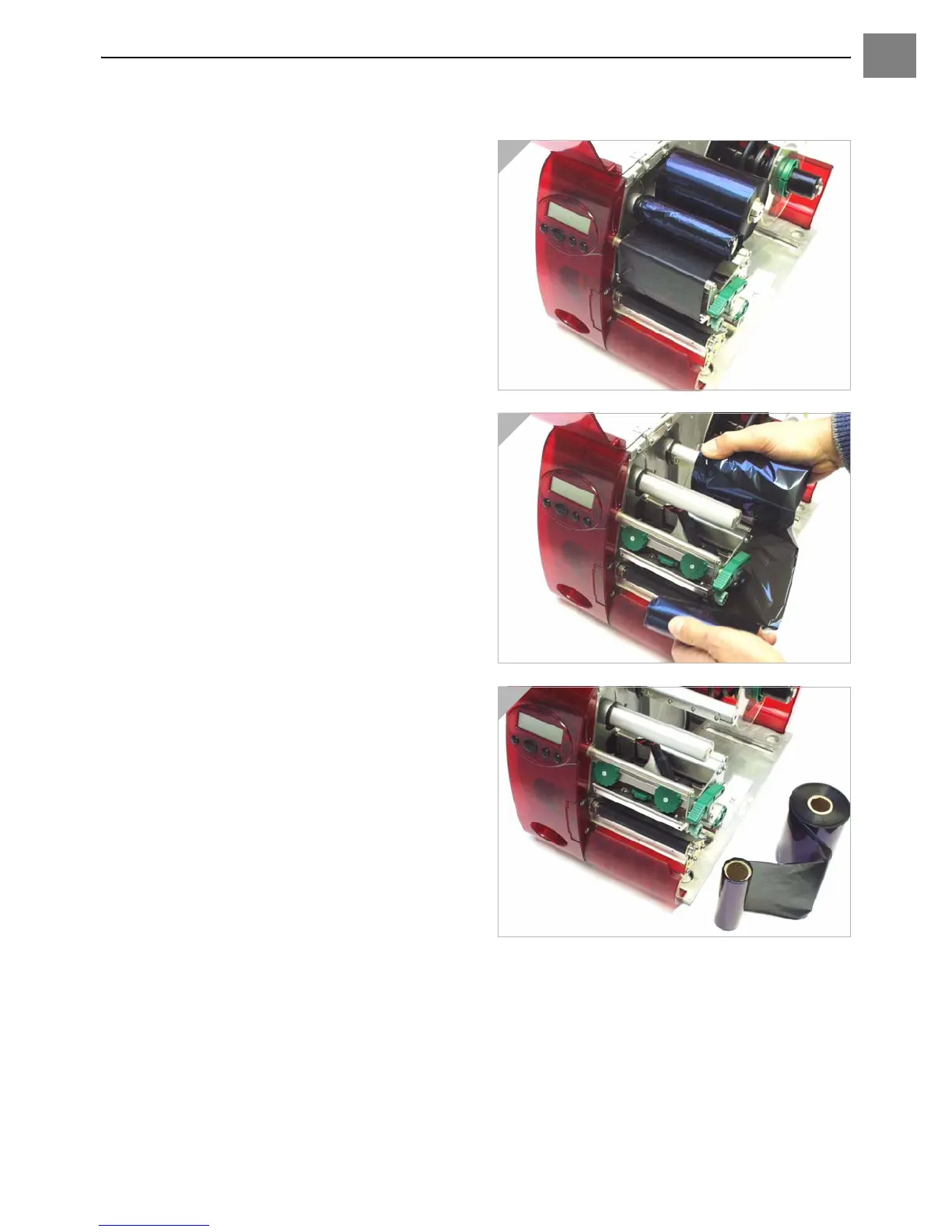
Quick ribbon exchange
1. Open the pressure lever (Fig. 1).
2. Remove both ribbon rolls from the ribbon
reels. Remove the ribbon from underneath
the printhead (Fig. 2).
Load the new ribbon as follows:
1. Push the ribbon, which is between the
rolls, under the printhead (Fig. 2).
2. Push both ribbon rolls onto the ribbon
reels as shown (Fig. 1).
1
2
3













 To Next Page