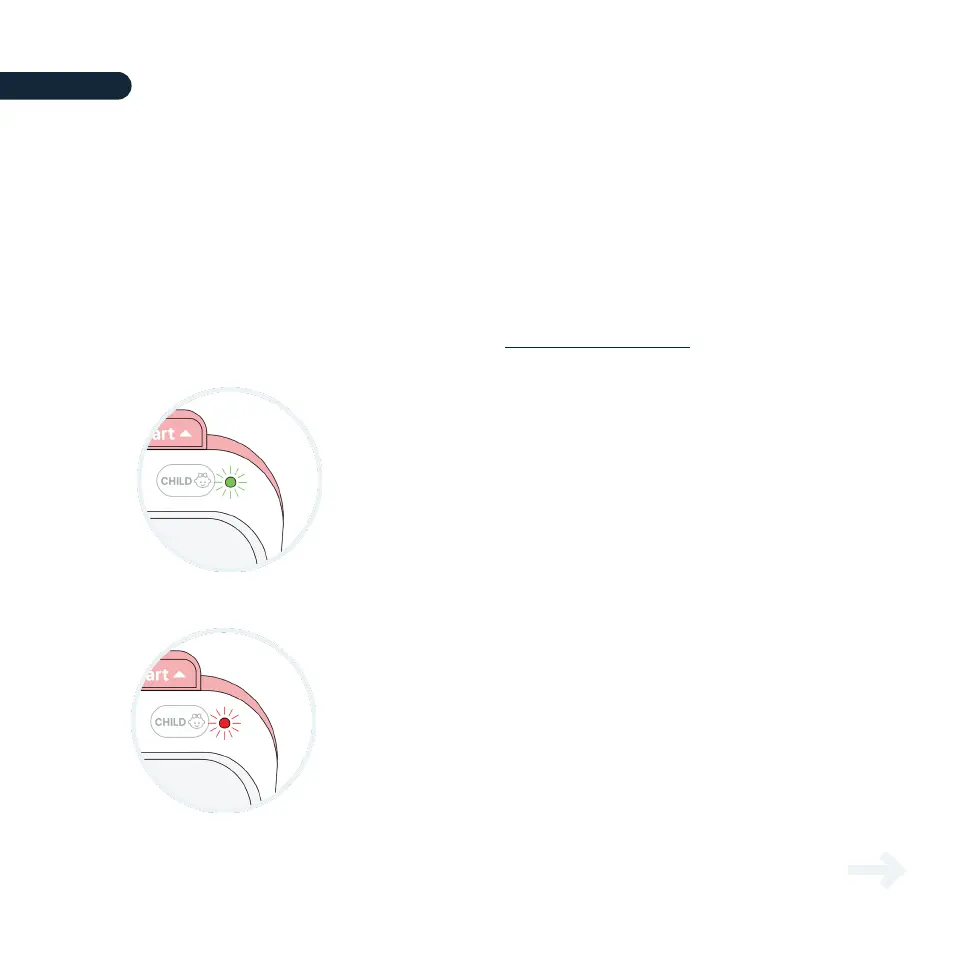
The Avive AED™ performs daily internal self-checks and will indicate via the Status Light if any
maintenance is required. The color of the Status Light indicates the functionality status as
illustrated below. The flashing behavior indicates the battery recharging state (See Section 5.3).
The status of the Avive AED should be checked periodically to ensure it is ready for
emergency use. In addition to checking the Status Light on the Avive AED, the device status
may also be checked through a variety of compatible Avive™ products. For the full list of
supported compatible products, please see www.avive.life/products.
5.1 – Checking Device Readiness
Continue to learn how to
resolve device issues.
If the Status Light is blinking green, your device is
ready to use in an emergency.
Ready to Use
If the Status Light is blinking red, or the device is beeping, then
your device needs attention! Press and hold the Power Button for 5
seconds and the Avive AED will tell you what is wrong.
Device Needs Attention!
18
SECTION 5 DEVICE MAINTENANCE
Device Maintenance
SECTION 5



 To Next Page