5.2 – Red Status Light, Device is Beeping (Maintenance Required)
To find out why your device’s Status Light may be blinking red and/or beeping, press and hold the
Power Button on the device for 5 seconds. The device will verbally tell you what is wrong.
Battery Low – The Avive AED™ has a rechargeable battery, and over time the device’s battery
will drain if it is not connected to a charger. As soon as the Avive AED indicates that it has a low
battery, the device should be connected to the Avive USB Power Adapter with the Avive™ USB
Charging Cable to recharge.
Important: The Avive AED is still safe to use with a Low Battery. A charged AED should be
used if available.
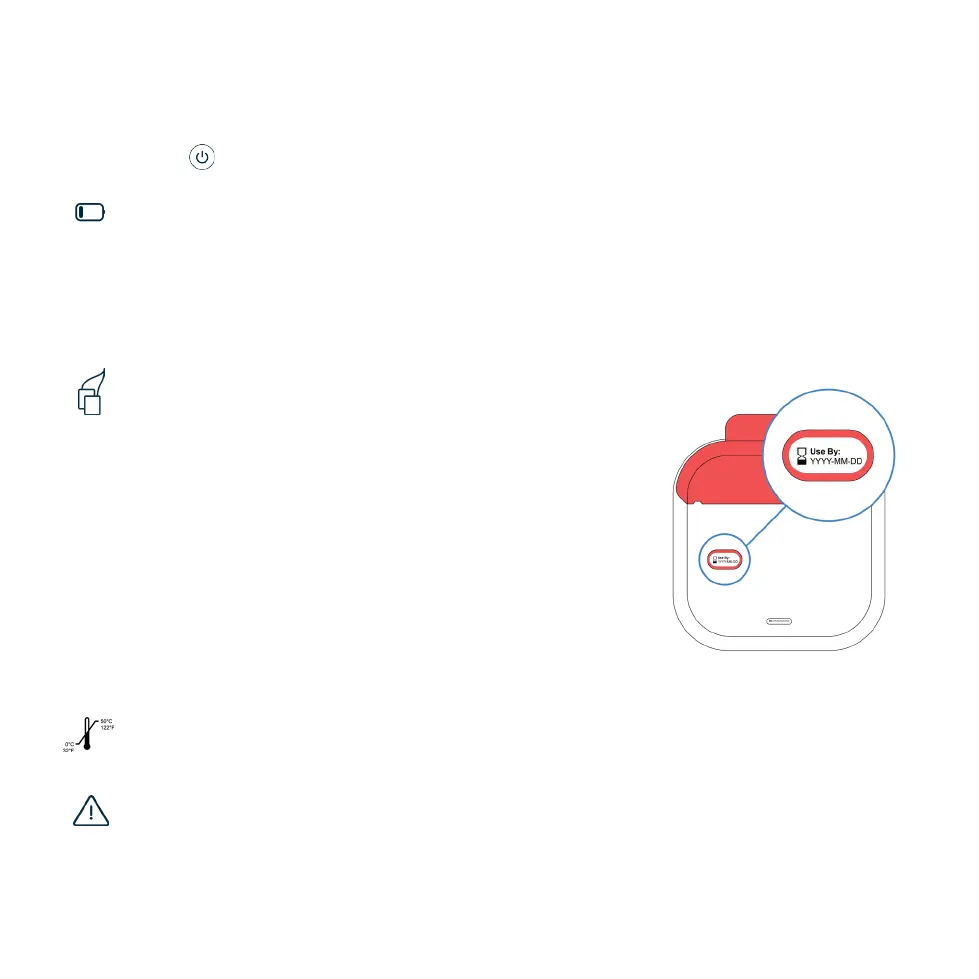
Pad Cartridge is:
• Expired – If the Pad Cartridge is expired it will need to be
replaced. The expiration date can be found on the back of
the Pad Cartridge.
• Previously Used –Once the packaged pads have been
opened the Pad Cartridge will need to be replaced.
• Not Installed – A Pad Cartridge must be installed to
operate the Avive AED. If there is a Training Cartridge, no
cartridge, or an invalid cartridge installed, the device will not
be ready for use.
[See Section 5.4 to learn how to replace the Pad Cartridge]
Device Not Operable – In the unlikely case that the Avive AED self-diagnoses a device
malfunction you should contact Avive Customer Support immediately to resolve the issue.
Extreme Temperatures – If the AED is too hot or too cold it cannot operate. Only store and
operate your device in the recommended environmental conditions. [See Section 6]
Pad Cartridge Expiration
19SECTION 5 DEVICE MAINTENANCE



 To Next Page